
Vela: Capabilities for a more intelligent and seamless workplace experience.
Our Q4 release is here, and Vela brings several enhancements to Assistants. From AI-powered device management and catering import to a smarter conversational experience that picks up right where you left off, Vela is built to make your workplace more intelligent, more connected, and easier to manage.
Whether you’re an admin looking to automate routine configuration work, a workplace leader scaling your digital workplace across a growing organization, or an IT team managing devices and desk hoteling at scale, this release has something meaningful for you.
Check out the video below or keep reading to learn about some of the highlights from the Vela release.
Memory for Assistants
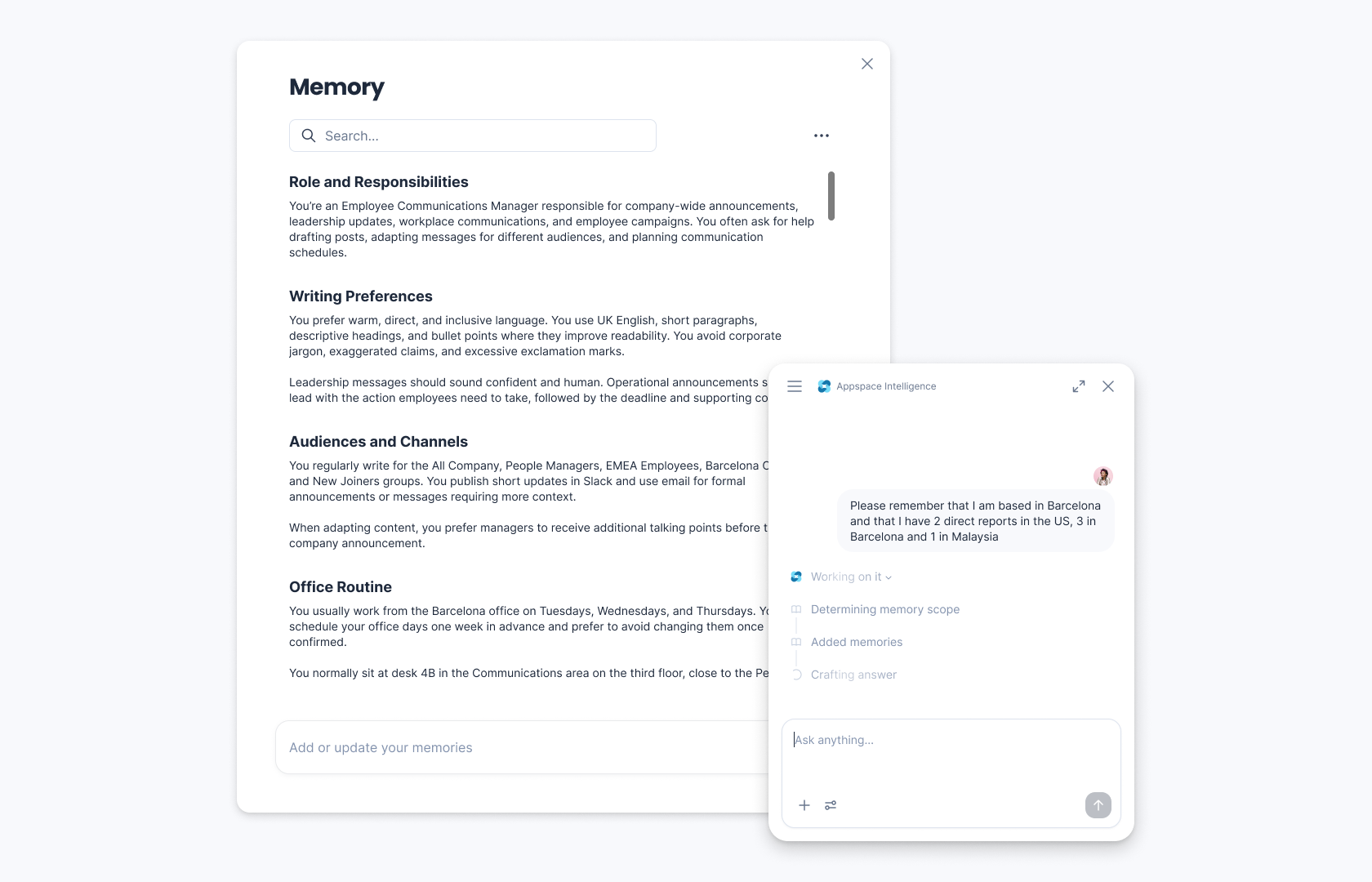
Across this release, Appspace Assistants get smarter about who they’re talking to, recalling the person, their role, and context across conversations over time. That means less repeating yourself, and assistants that actually know you.
Assistant Session History
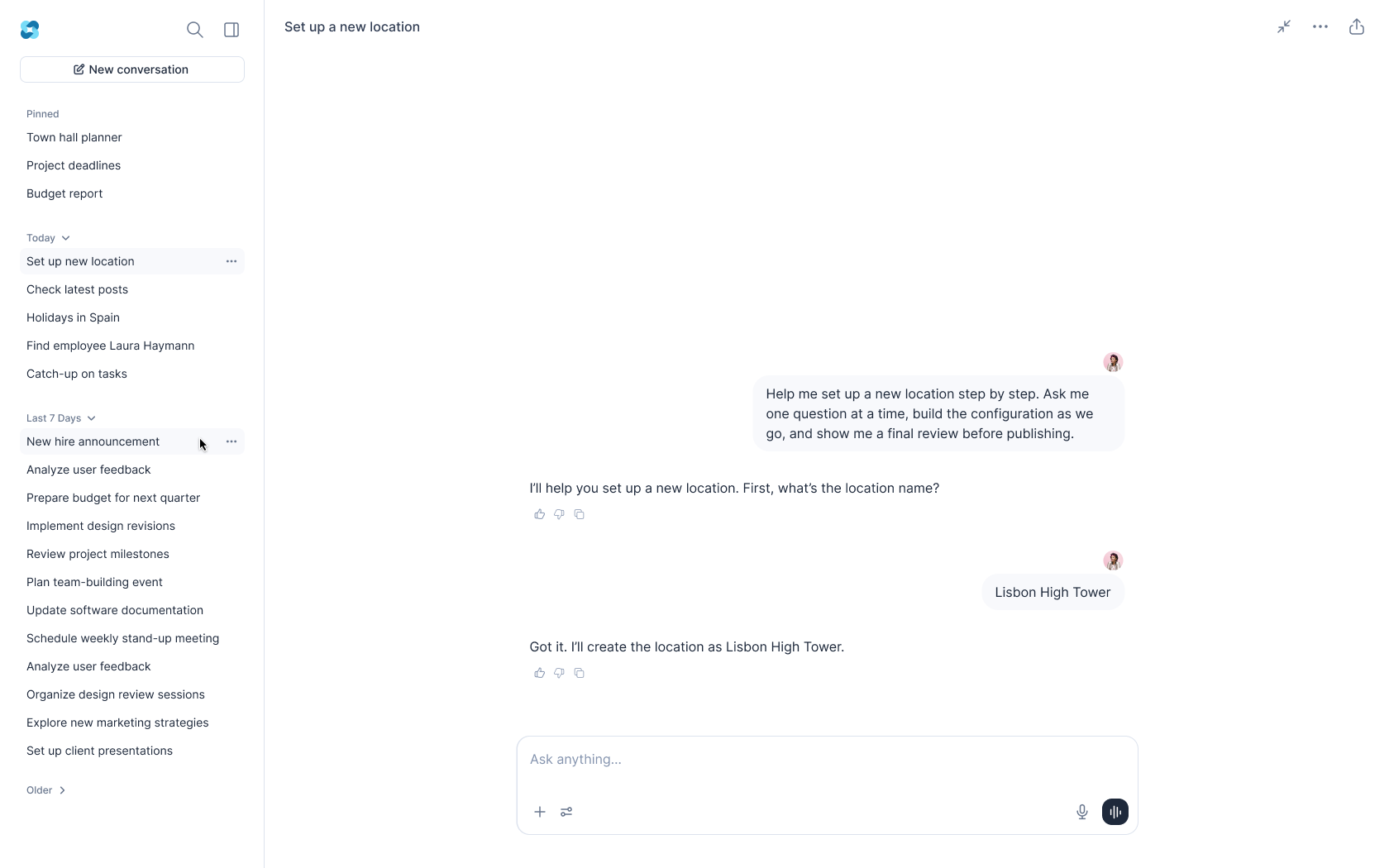
Never lose an interaction with Appspace Intelligence. Assistants now save your session history, so you can pick up right where you left off with a previous conversation — no need to start over or repeat yourself.
Device Management Assistant
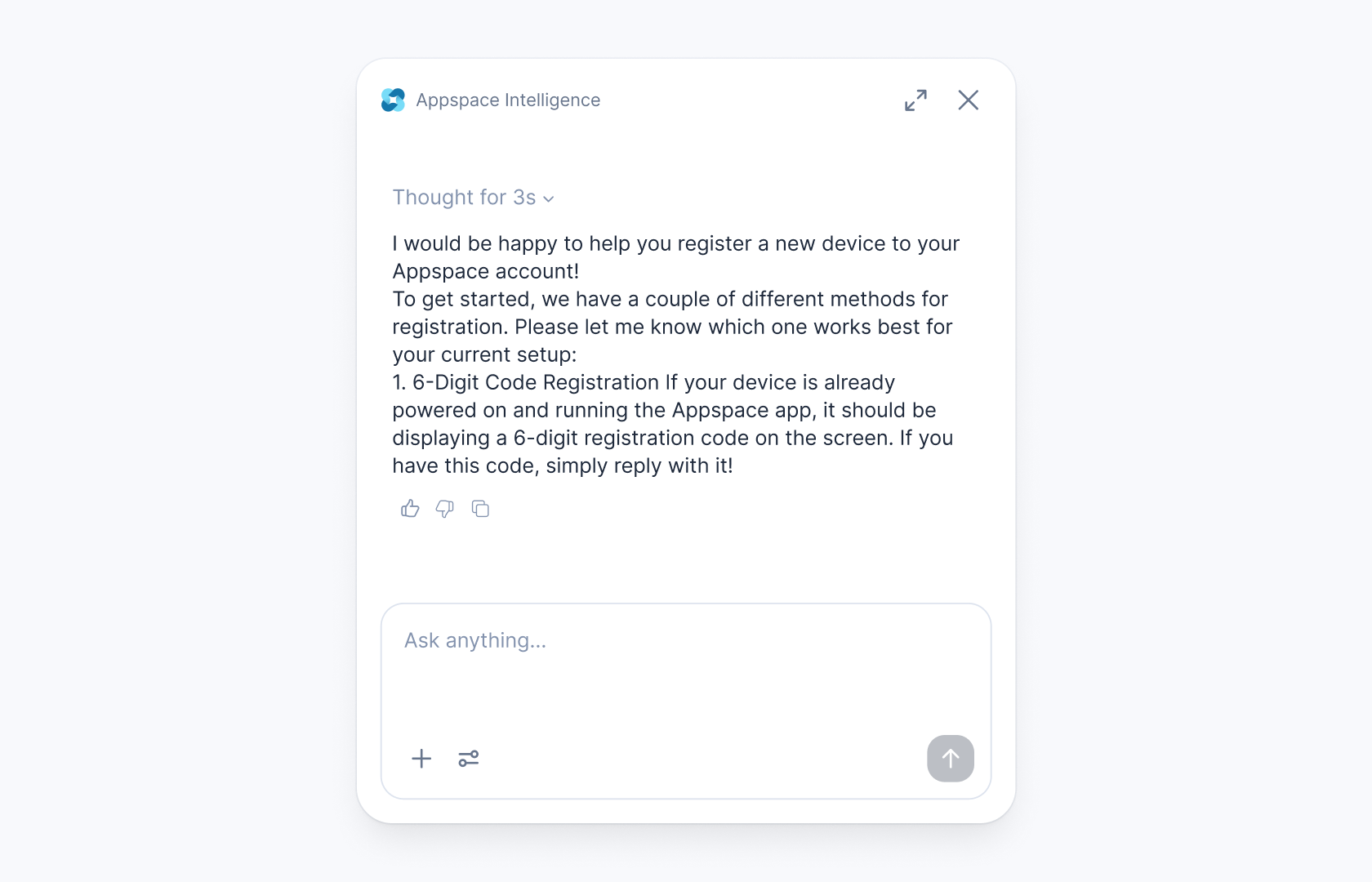
Bulk device management is now conversational. Just tell the assistant what you need — register devices, update operating hours, add tags, or move devices between locations — across your entire fleet, without the manual, one-by-one clicks. The assistant validates changes before applying them and gives you a confirmation summary, turning hours of configuration work into a simple conversation.
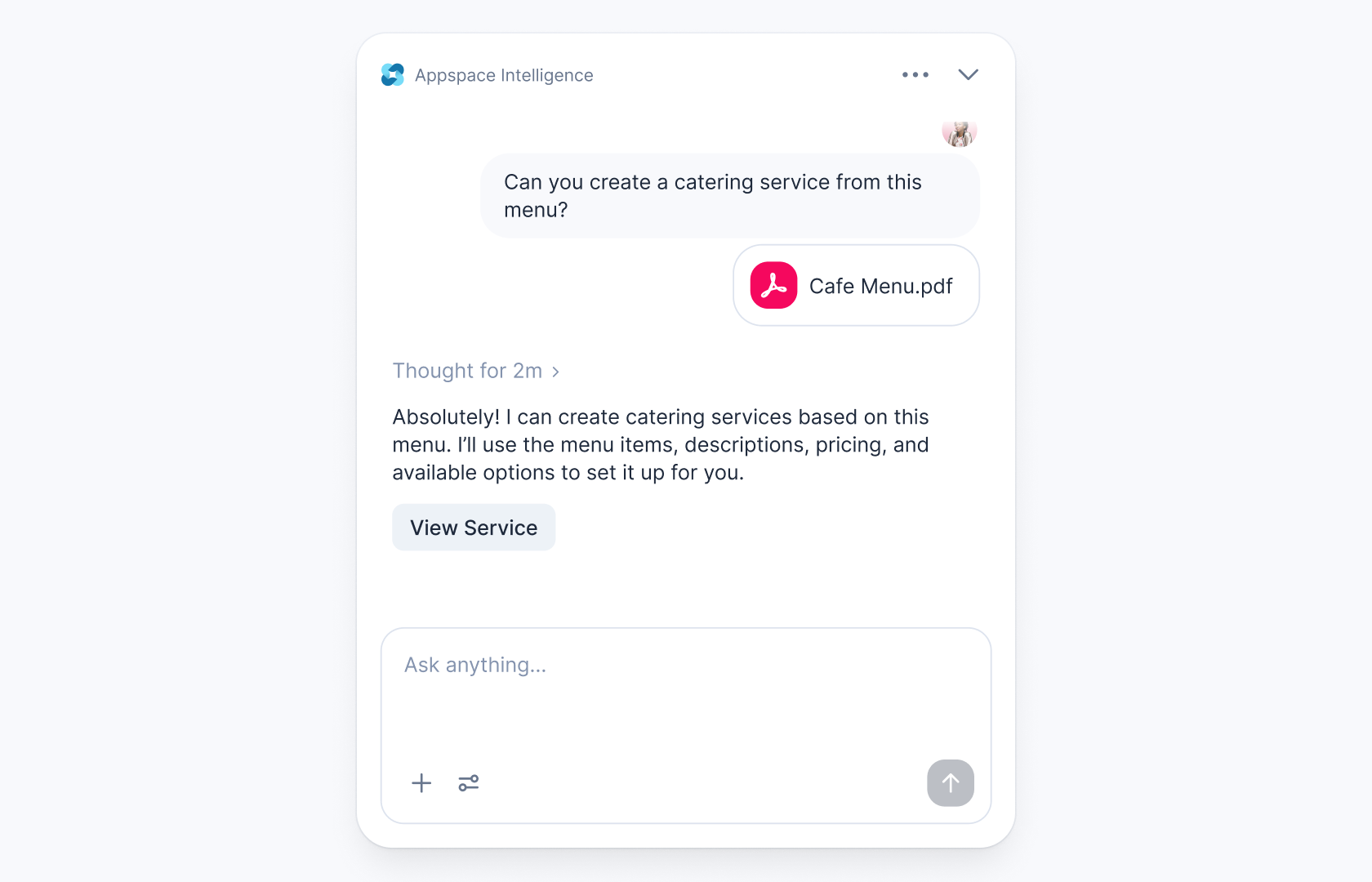
Catering Import Assistant
Setting up catering menus no longer means rebuilding them from scratch. Upload an existing PDF menu or image, and the Import Assistant reads it and builds the corresponding Appspace menu — categories, items, prices, and modifiers included. Review, confirm, and you’re ready to distribute.
Microsoft Copilot Integration
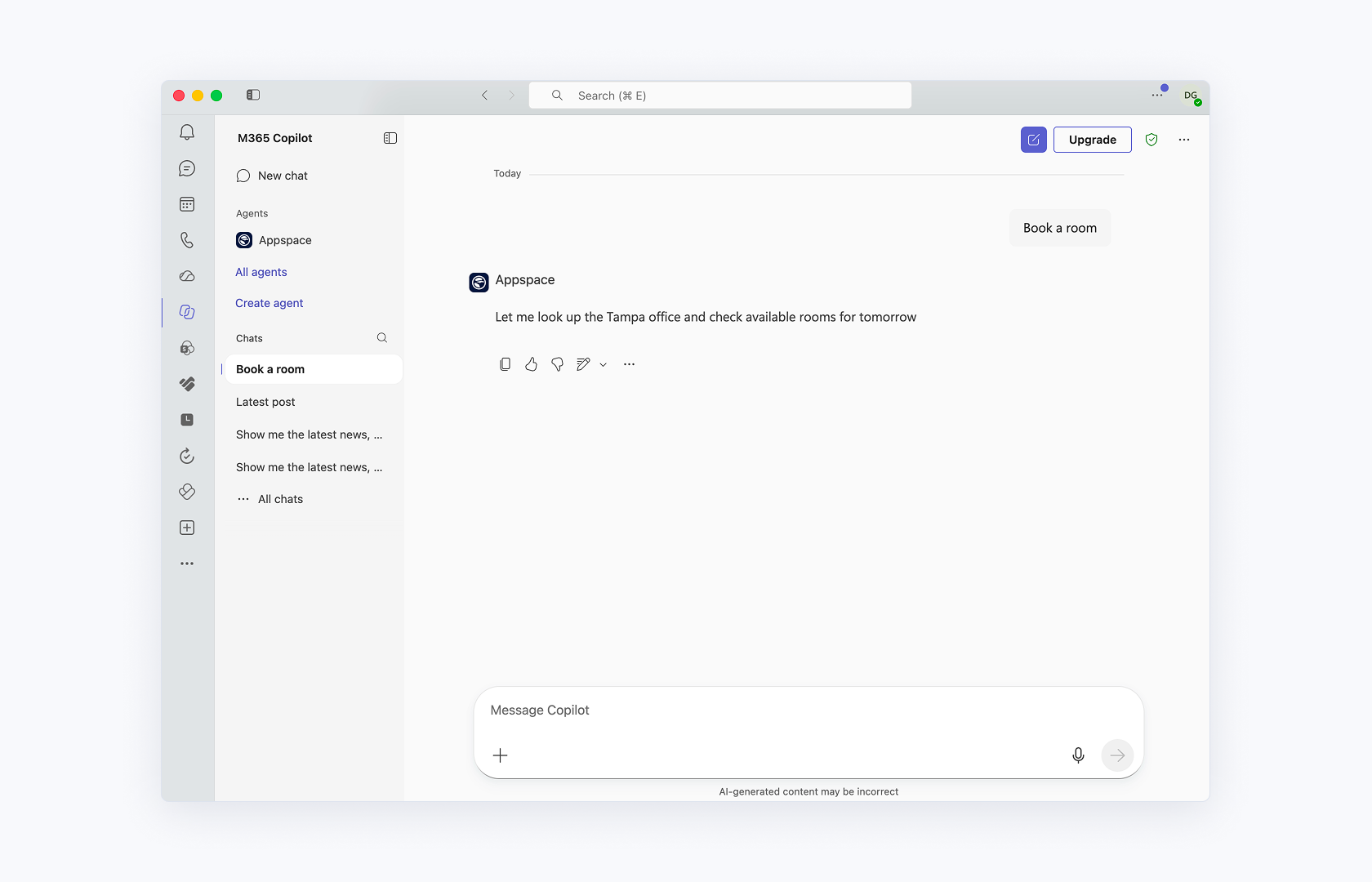
Appspace Intelligence is now available right alongside Microsoft Copilot. Ask the assistant questions about your Appspace content, or manage desk and room bookings — bringing essential Appspace information right into the flow of work.
AI Usage Insights
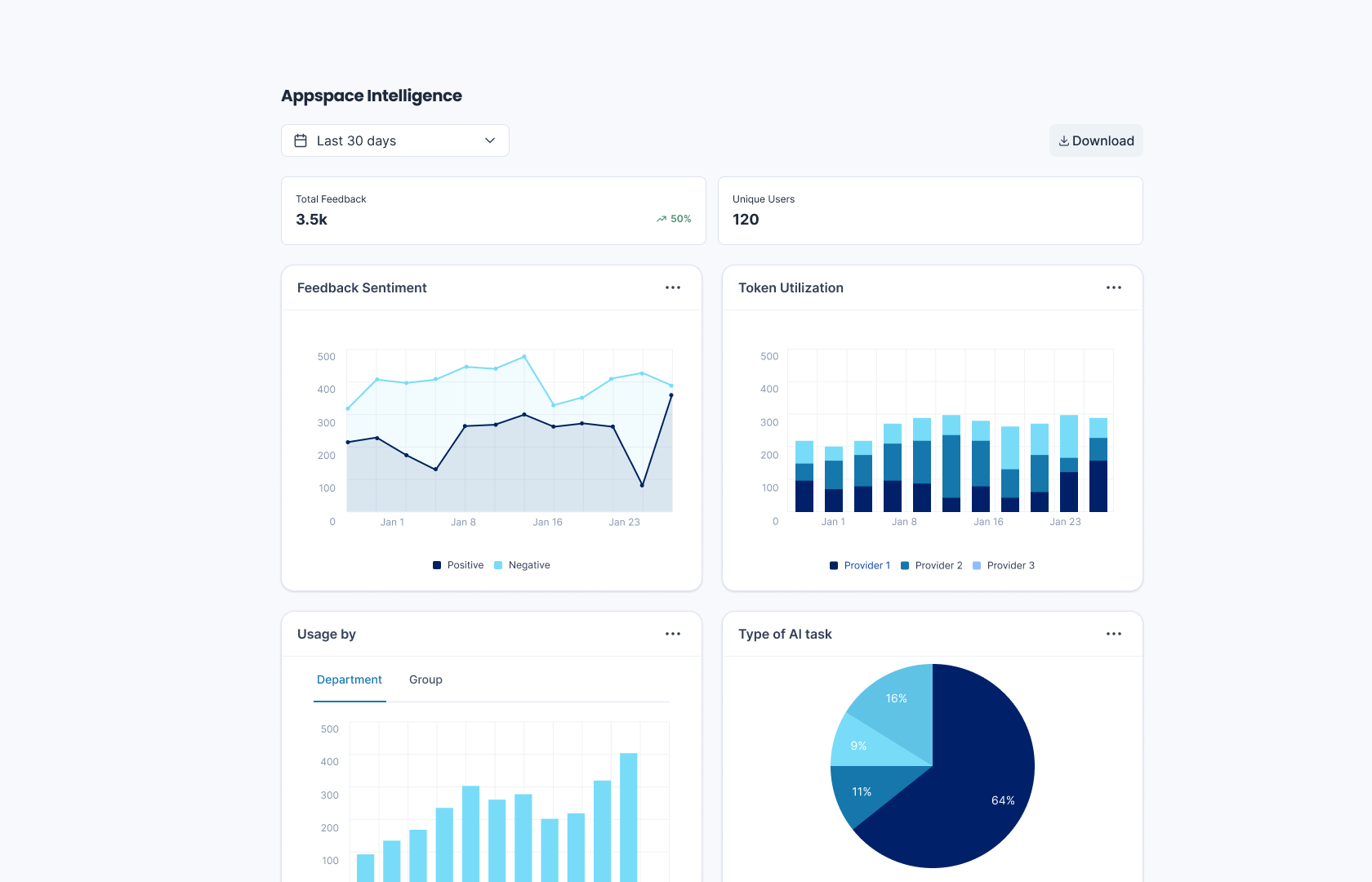
See exactly how AI is being used across your account adoption and feature utilization, all in one place. It’s the transparency admins need for governance as AI capabilities expand across the platform.
Site Hierarchy
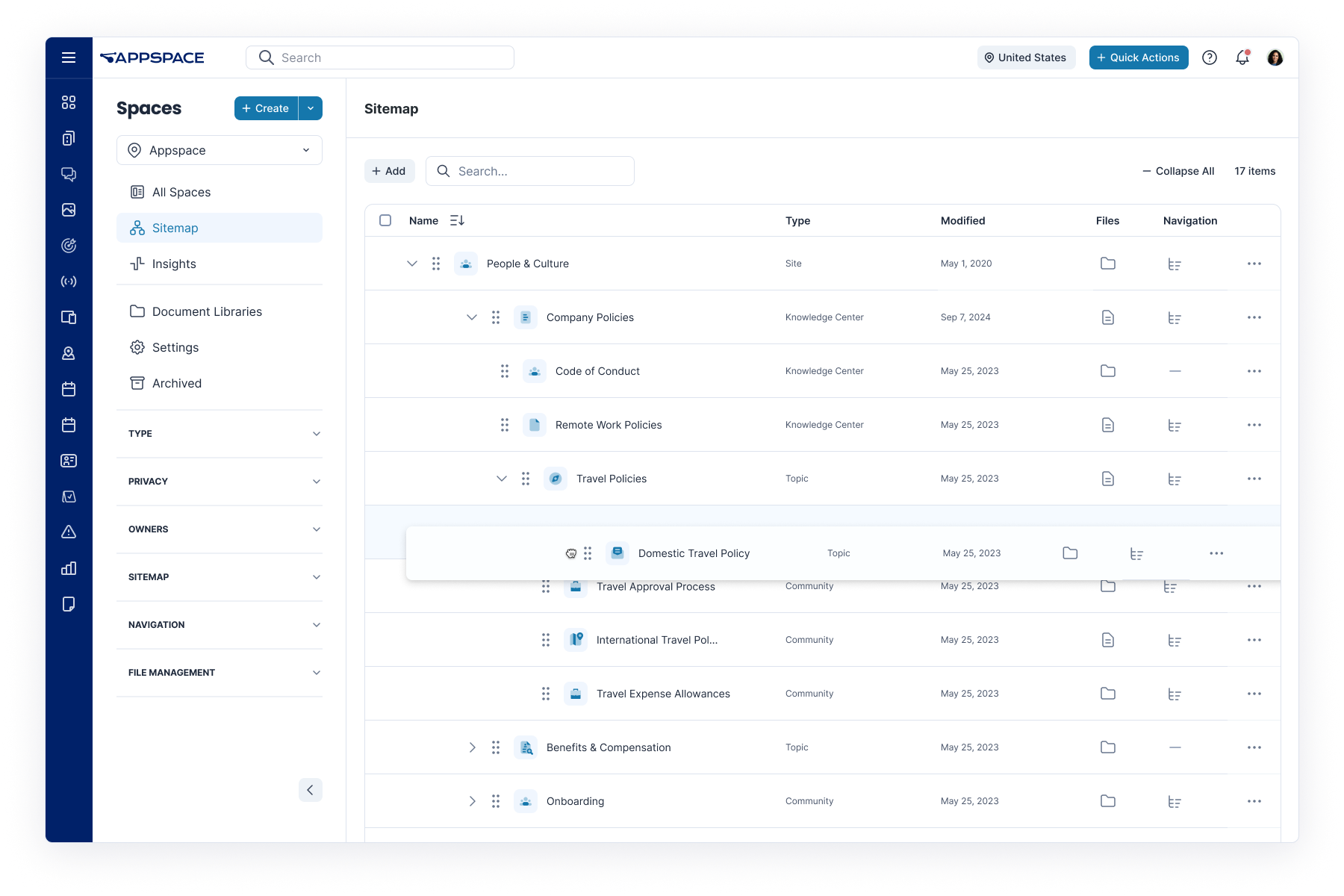
Site Hierarchy lets admins build their organization’s structure right into the platform — corporate, regions, local sites, departments. Global admins get a clear view across the whole enterprise, while local managers can run their own Communities, Topics, or Channels.
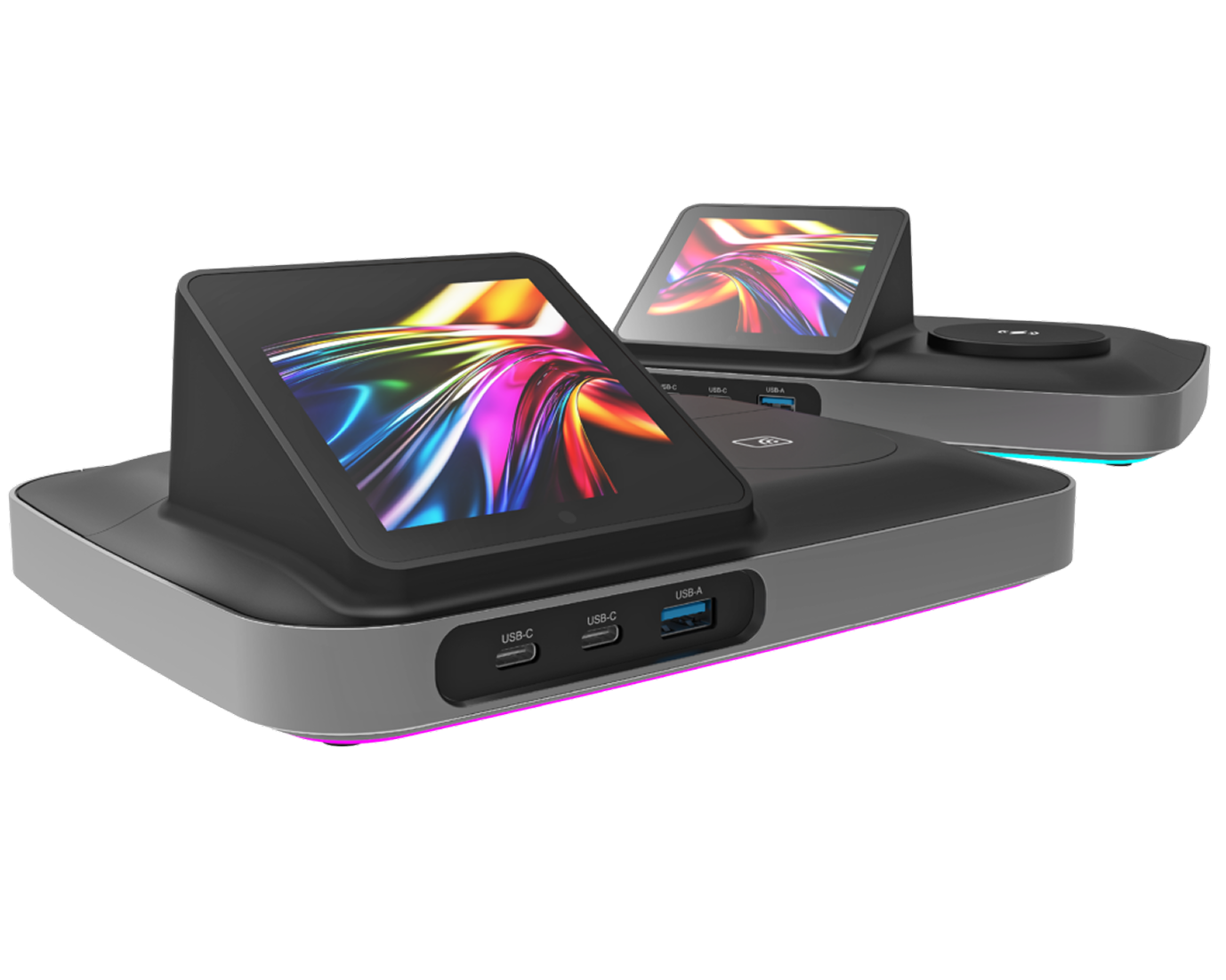
Qbic BookBuddy Connect Support
Appspace now supports the Qbic BookBuddy Connect docking station. Connect your laptop and your desk reservation starts automatically; disconnect, and it’s released for the next person — no manual booking required.
Visitor Badge Customization
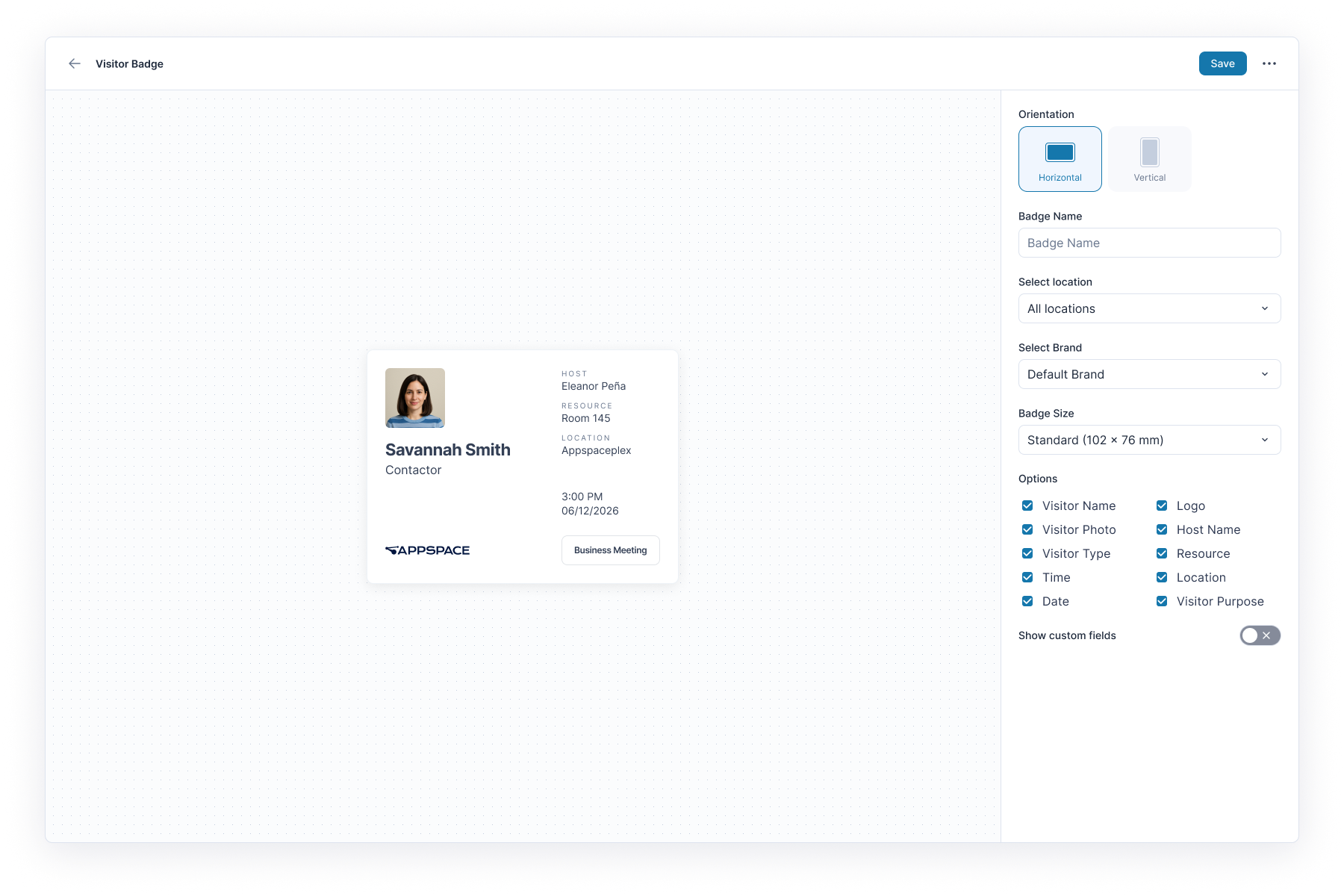
Visitor badges now match your brand. Choose which fields appear, add your logo, and create distinct templates for different visitor types — like contractors, interviewees, or VIPs. You can even switch on a printed QR code so visitors can check out with a scan.
Beyond the stars
Vela includes dozens of other enhancements to help you create a workplace your employees love. Here’s a look at some other items you can find in this release.
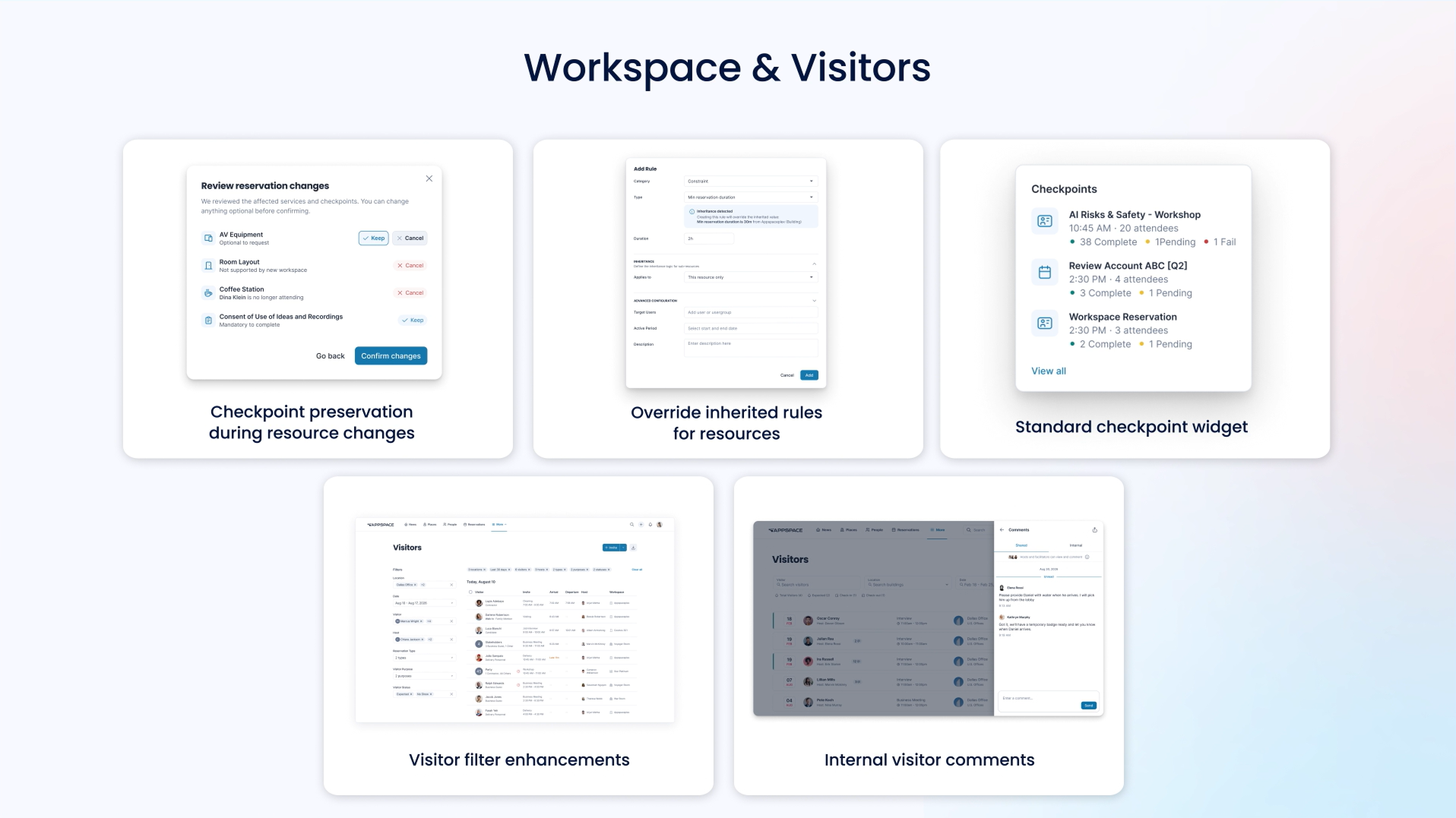
- Checkpoint preservation during resource changes – Automatically validates and updates service requests, notifications, and reporting data whenever a reservation’s resource or attendee type changes, giving organizers control over existing requests while eliminating the conflicts and manual cleanup that currently fall to concierge staff.
- Override inherited rules for resources – Override inherited rules at any level of the building hierarchy — with a different value or fully disabled — providing precise, predictable control over how policies apply across campuses, buildings, floors, and individual resources without unintended cascading effects.
- Standard checkpoint widget – Gives concierge users a single, filterable view of all reservation checkpoints — grouped by pending, completed, and approaching deadline — so they can track and act on notice, consent, and form tasks without opening each reservation individually.
- Visitor filter enhancements – Add search and filtering to the Visitors page — by name, visitor number, date, host, status, and reservation type — so reception teams, hosts, and admins can quickly find and manage relevant visitor records instead of manually scanning the full list.
- Internal visitor comments – Attach private, staff-only notes to a visitor invite — addressed to either the host and facilitators or facilitators only — so operational details like security, accessibility, or handling instructions reach the right internal staff without ever appearing in visitor-facing emails or screens.
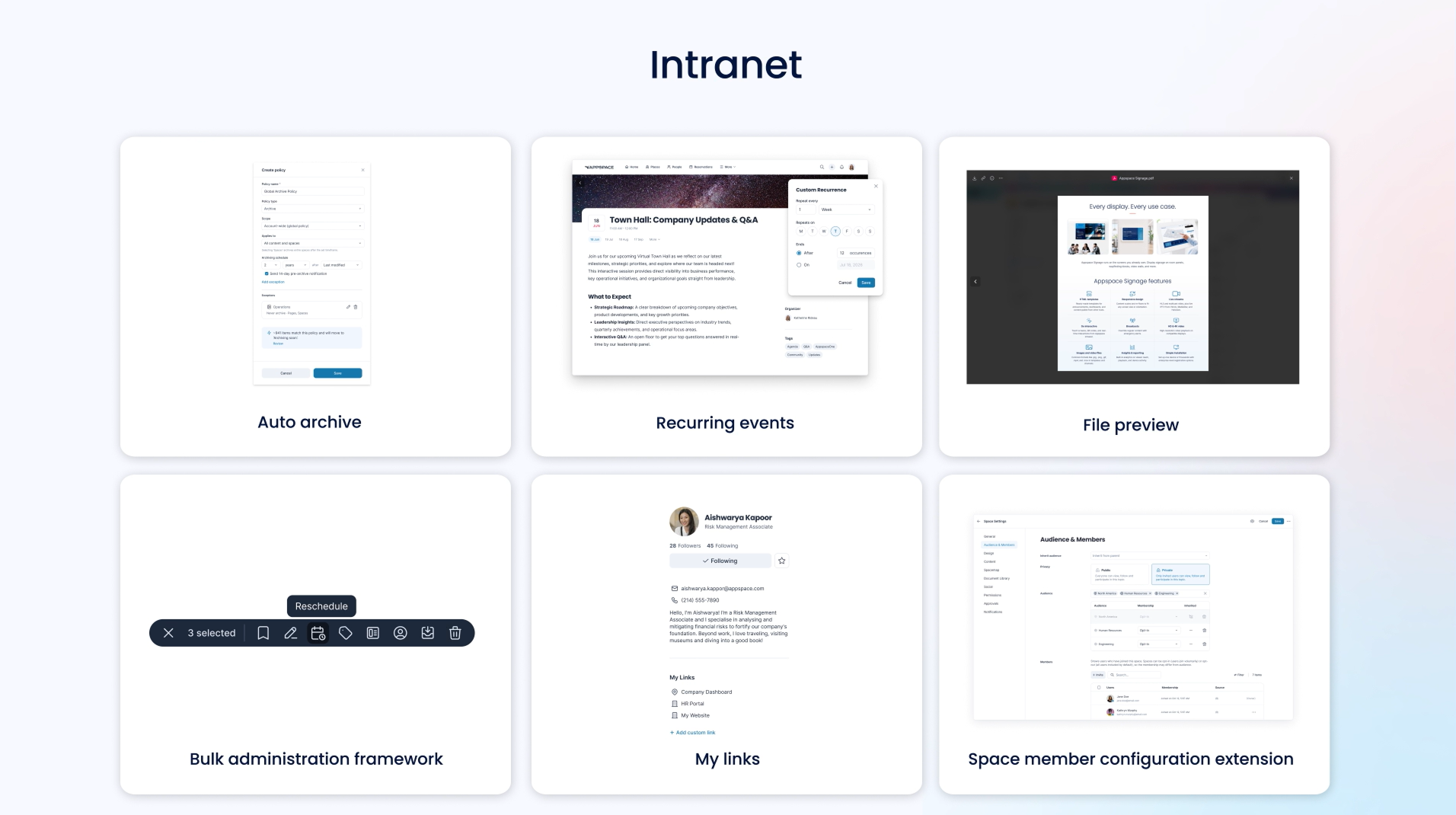
- Auto archive – Automatically removes outdated intranet content from active navigation, feeds, and search based on configurable rules like age or last-updated date while preserving it for admins to restore later, so content stays current without manual cleanup.
- Recurring events – Lets creators set up repeating events once — with full control to edit or delete single occurrences, whole series, or a continuation from a given point forward — instead of creating each occurrence manually.
- File preview – Expands Document Library’s in-browser viewing to documents, text files, more image and audio formats, and additional video formats, so employees can view content instantly without downloading it or switching apps.
- Bulk administration framework – Manage acknowledgements and compliance campaigns across large groups at once — sending reminders, resetting cycles, and auditing activity from a single workflow — instead of handling each user or content item individually.
- My links – Lets users save, edit, and access their own personal bookmarks, available on their user profile page, so they don’t have to rely on browser bookmarks for frequently used resources.
- Space member configuration extension – Make spaces mandatory for a targeted audience while keeping them opt-in for everyone else, using precise AND-logic audience filtering and per-space feature controls rather than forcing every space into the same all-or-nothing membership model.
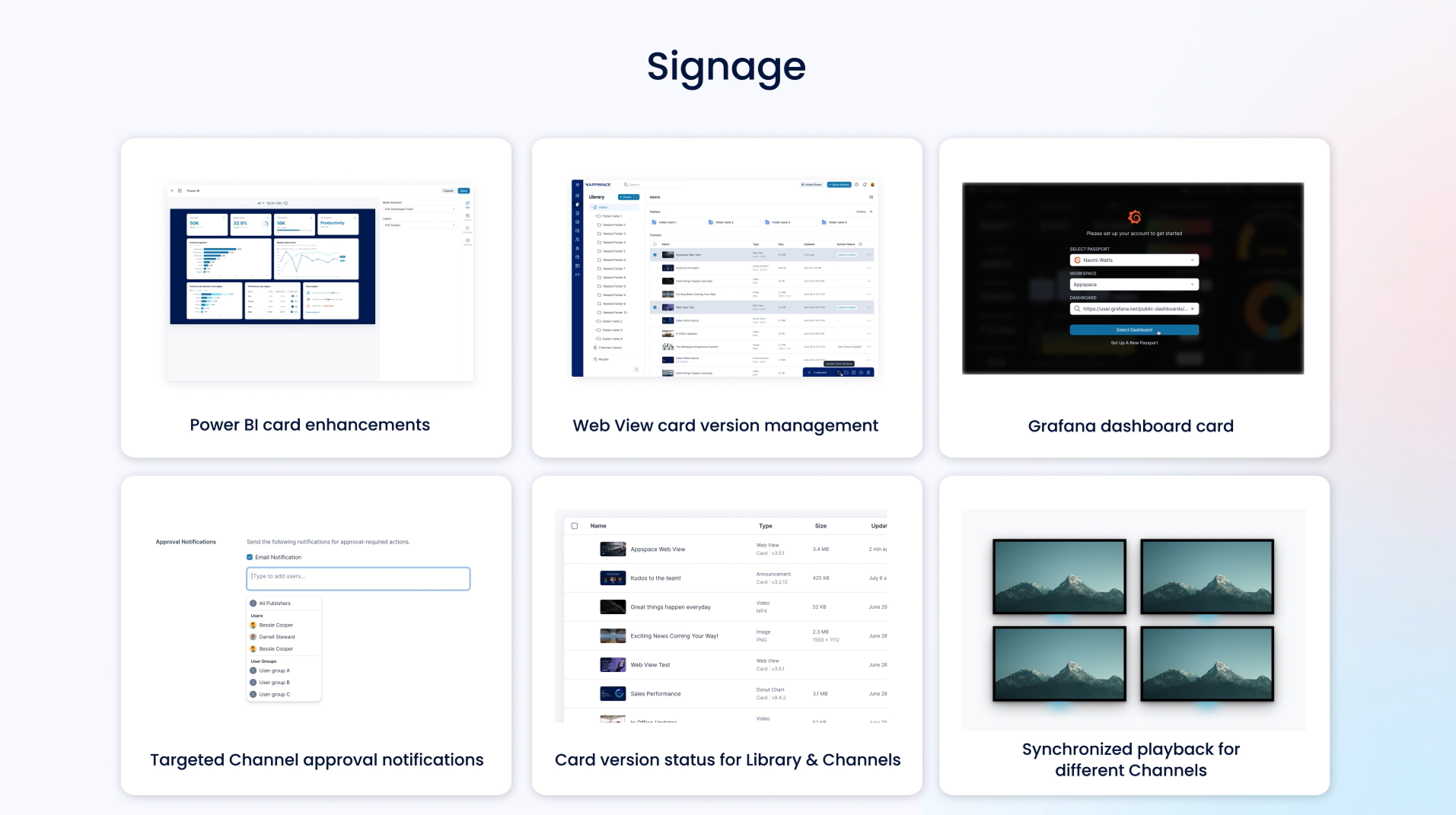
- Power BI card enhancements – Lets the existing Power BI Card display reports as well as dashboards, with improved authentication handling that eliminates login prompts before publishing.
- Web View card version management – Update Web View Cards to newer versions, either manually or via an AI assistant, in bulk across libraries and channels, preserving existing configurations and device assignments instead of recreating and republishing cards one by one.
- Grafana dashboard card – Adds native, secure integration with Grafana Cloud to display real-time, multi-chart dashboards directly on digital signage across any device type.
- Targeted Channel approval notifications – Configure exactly who receives approval emails — specific users or groups, per channel — so approvers only get notified for content they actually manage, eliminating the notification fatigue caused by blanket approval alerts.
- Card version status for Library & Channels – Adds at-a-glance visual indicators — up to date, update available, updating, update failed — across Library and Channel views, so admins can spot and act on outdated cards without checking each one manually.
- Synchronized playback for different Channels – Lets devices in a sync group play distinct content from separate channels in precise timing — using a controller-worker architecture and NTP synchronization — enabling true multi-screen video wall experiences instead of requiring every device to show the same channel.
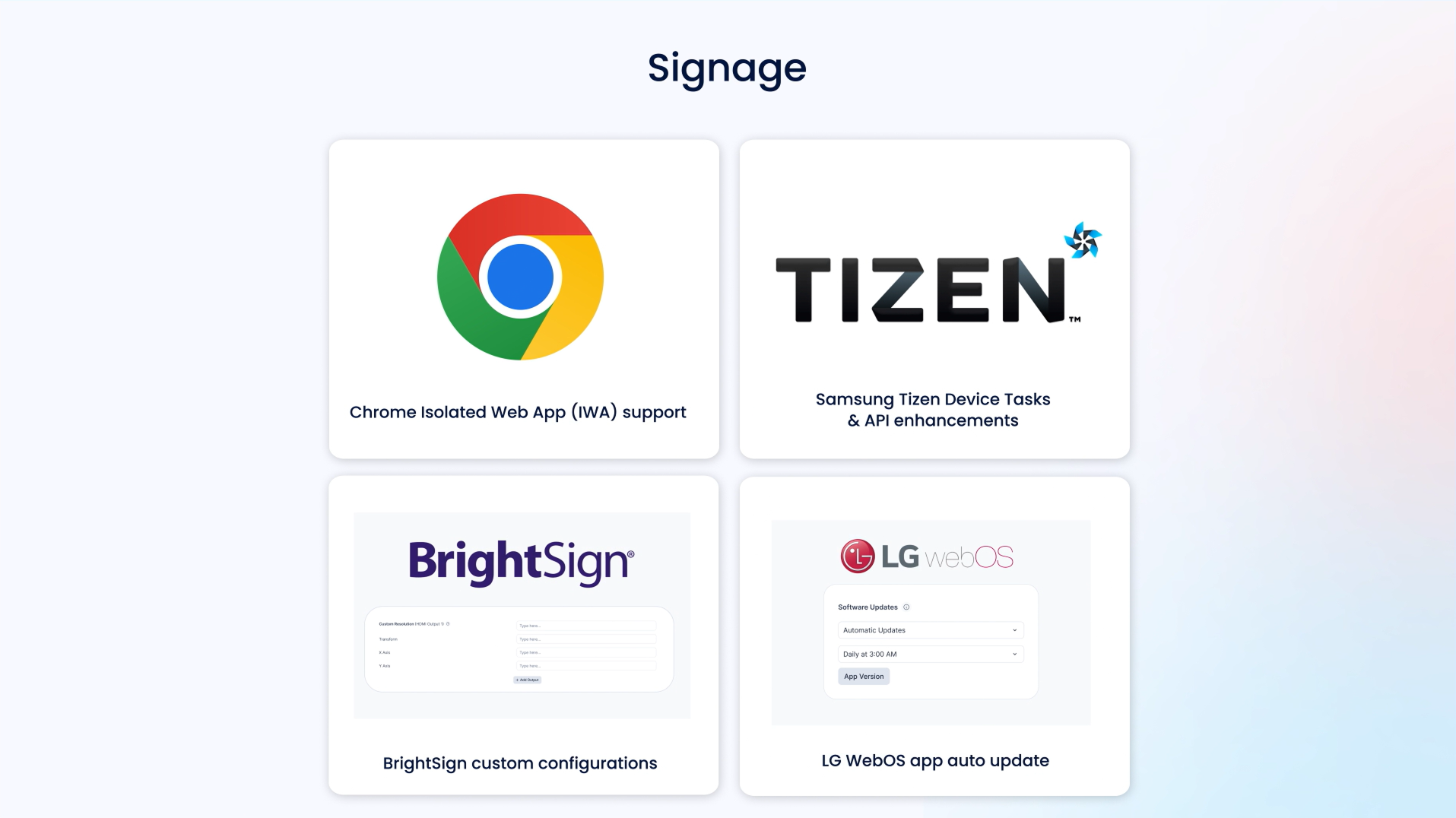
- Chrome Isolated Web App (IWA) support – Keeps Chrome-based signage devices secure and fully supported as Google retires Chrome Apps — with a smooth migration path, continued support for existing ChromeOS deployments, and no disruption to how screens run today.
- Samsung Tizen Device Tasks & API enhancements – Keeps displays running smoothly as Samsung retires its SSSP APIs — migrating to the new Tizen Enterprise Platform for continued compatibility — while adding remote firmware updates, power control, and MAC address visibility so you can manage your Samsung fleet entirely from Appspace, without third-party tools or site visits.
- BrightSign custom configurations – Manage security settings, custom resolutions, certificates, and network configuration directly in Appspace Device Settings — with changes that persist through reboots and app updates — eliminating the need for manual code editing or third-party tools.
- LG WebOS app auto update – Centralized control over app updates across their LG device fleet — with automatic or manual scheduling, location-based policies that cascade down to individual devices, version pinning, and rollback — replacing manual, device-by-device update management.
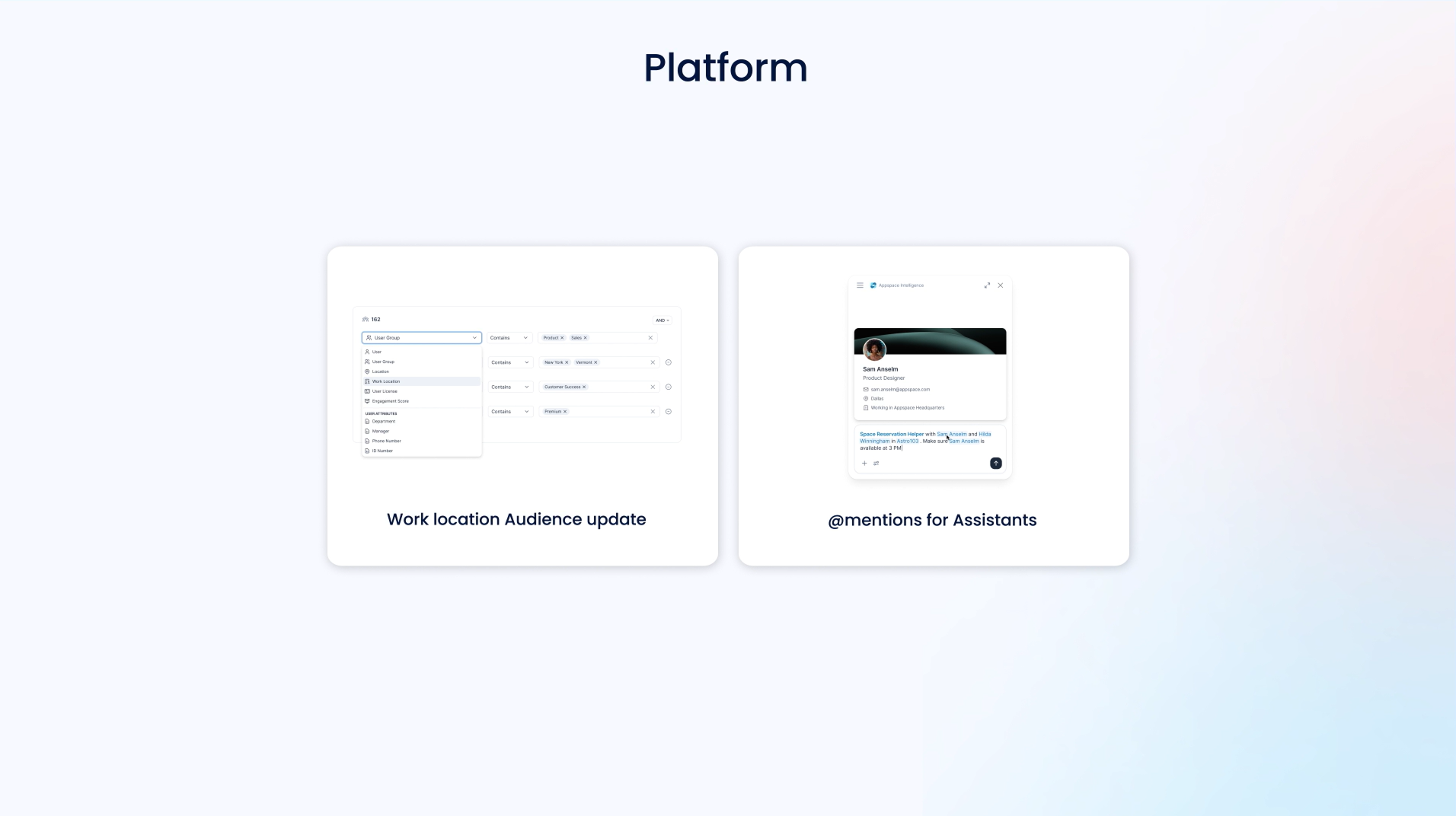
- Work location Audience update – Connects Work Location data to the Audience Builder and post analytics — letting comms teams target content by current or scheduled location (in-office, remote, specific sites) and see how location affects engagement.
- @mentions for Assistants – Tag specific people directly in an AI conversation, giving the assistant precise context to work with instead of relying on vague descriptions or follow-up clarification.
To learn more about the entire Vela release, view the full release notes.

