
Dorado: new features to power your workplace experience
Our Q3 release is here, and it’s one of the most expansive updates we’ve shipped across the entire Appspace platform. From AI-powered insights and smarter admin navigation to offline content access and cross-system assistant integrations, Dorado is built to make your workplace more intelligent, more connected, and easier to manage.
Whether you’re an admin who wants a cleaner, more focused console experience, a communicator looking to do more with AI-assisted tools, or an IT leader managing devices and integrations at scale, this release has something meaningful for you.
Check out the video below or keep reading to learn about some of the highlights from the Dorado release.
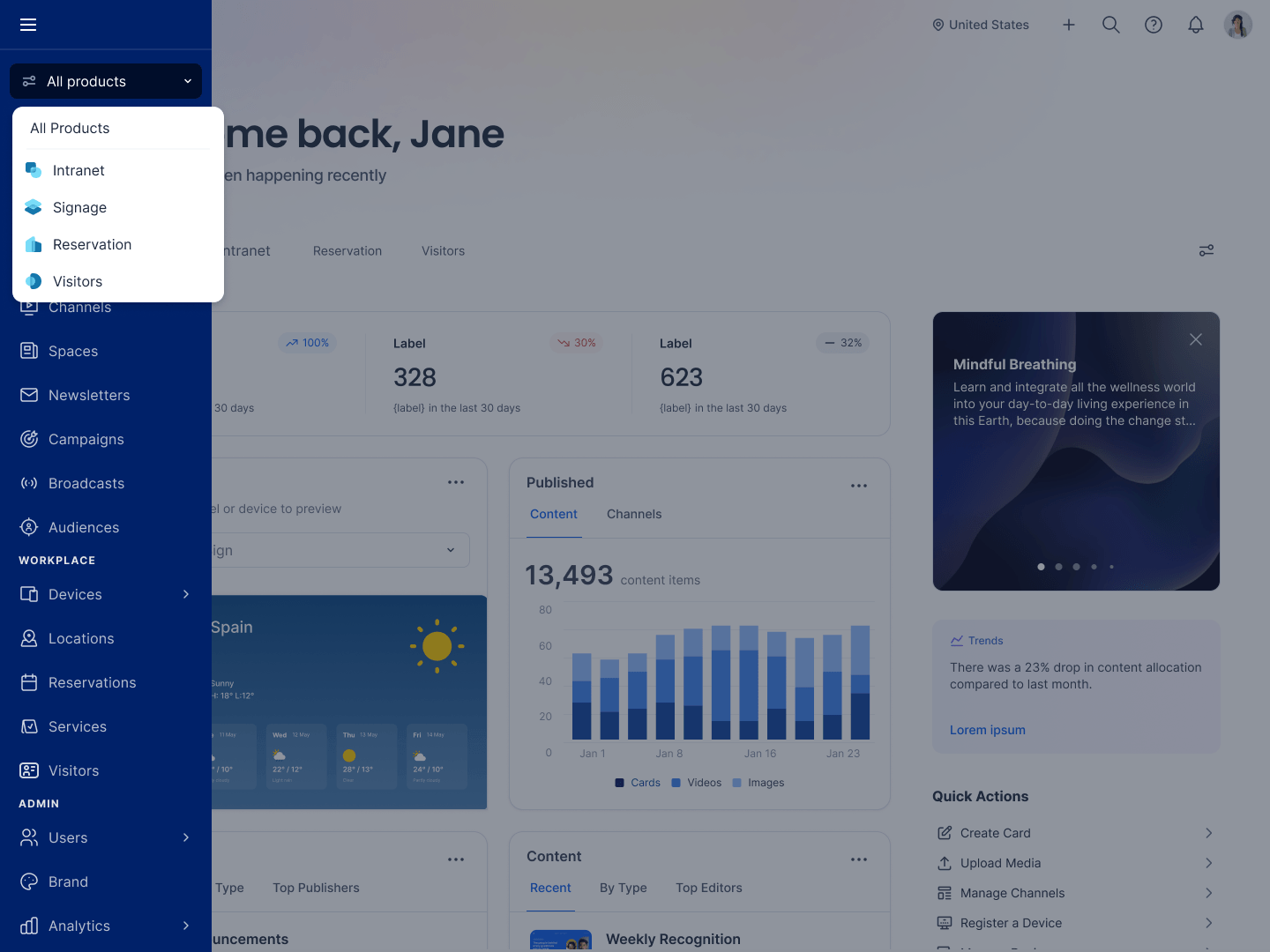
Navigation customization for the admin console
We’ve introduced new admin navigation that filters down to only the modules relevant to your active product area — whether that’s Signage, Intranet, Workspace, or Visitors. Each view comes with a dedicated dashboard surfacing key metrics, charts, and quick actions so you can work faster with fewer distractions.
Insights Assistant
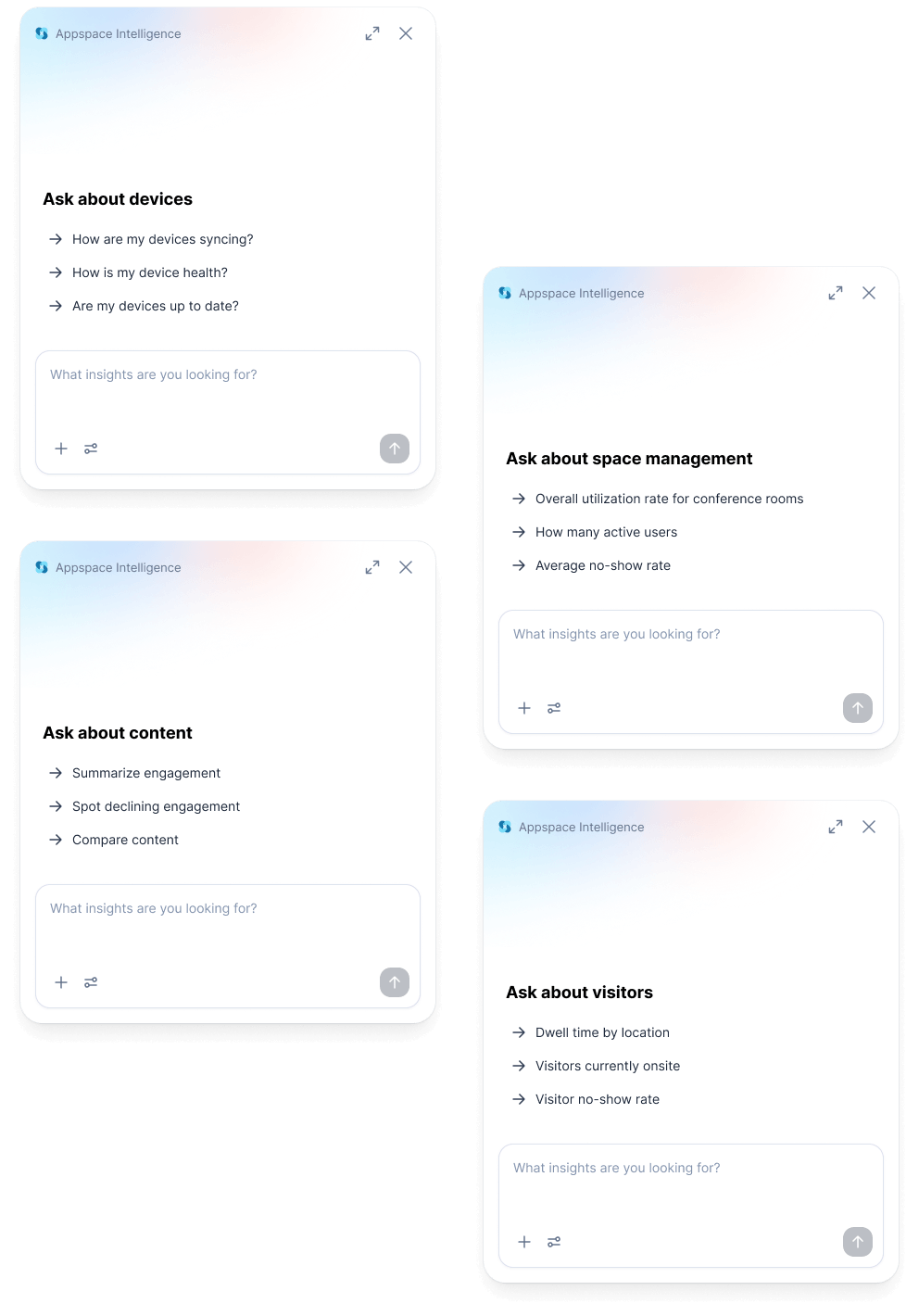
The Insights Assistant now expands across the entire Appspace platform, bringing AI-powered, conversational analytics to your digital signage, device fleet, space reservations, visitor management, and intranet without having to analyze complex reports. Just ask a question and get instant insights and trends about your workplace.
Offline Mode
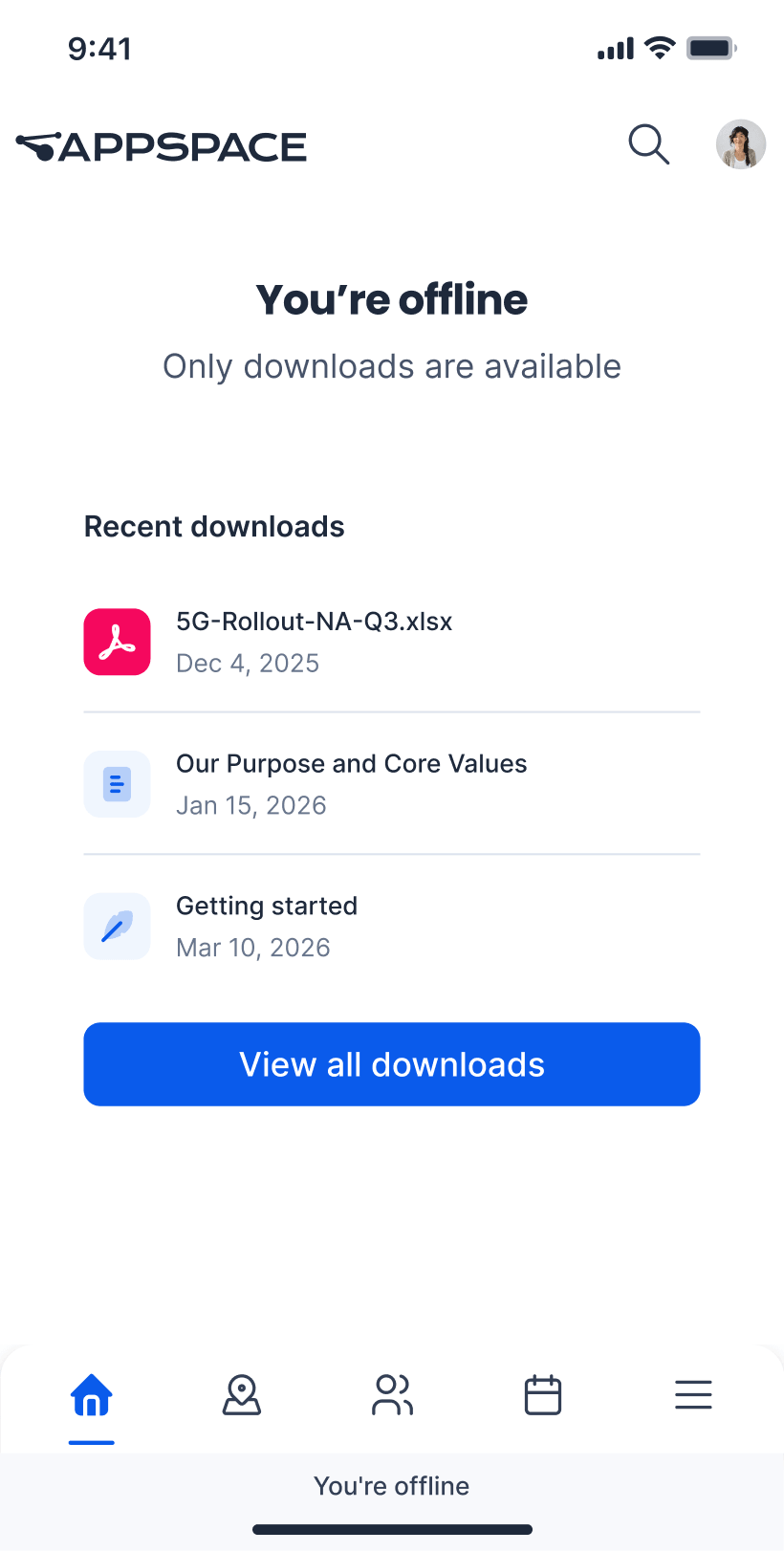
Offline Mode brings uninterrupted access to company content directly to employees’ mobile devices, even without an internet connection. Frontline workers in low-signal environments can now download content over Wi-Fi and access it anytime, with automatic background syncing to keep everything current the moment connectivity returns.
Spaces templates
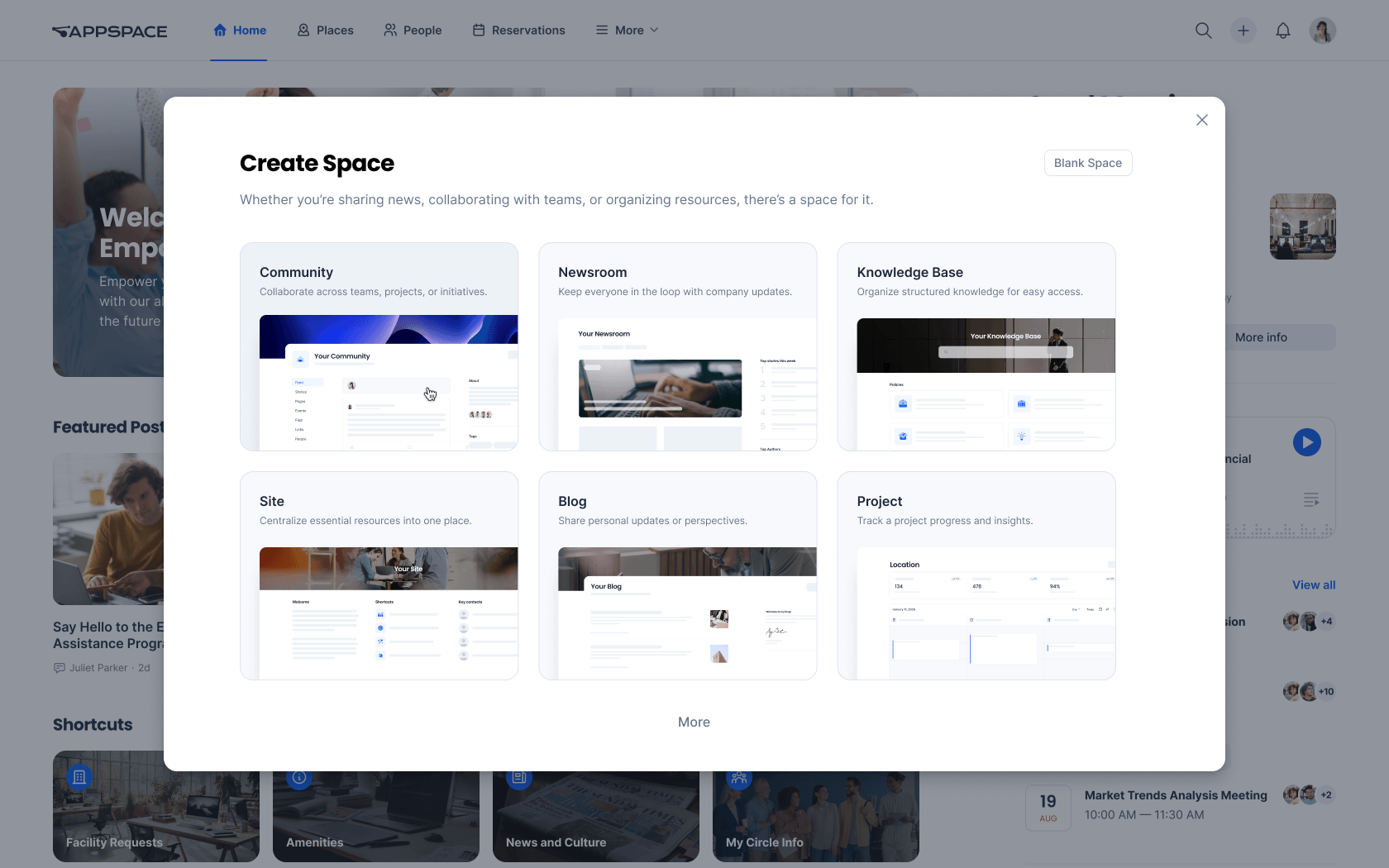
Spaces templates give admins the power to design fully custom space types by assembling widgets and workflows into reusable templates — from project hubs to departmental wikis. Move beyond standard spaces and build purpose-built collaboration environments tailored to your organization.
MCP for Appspace Assistants
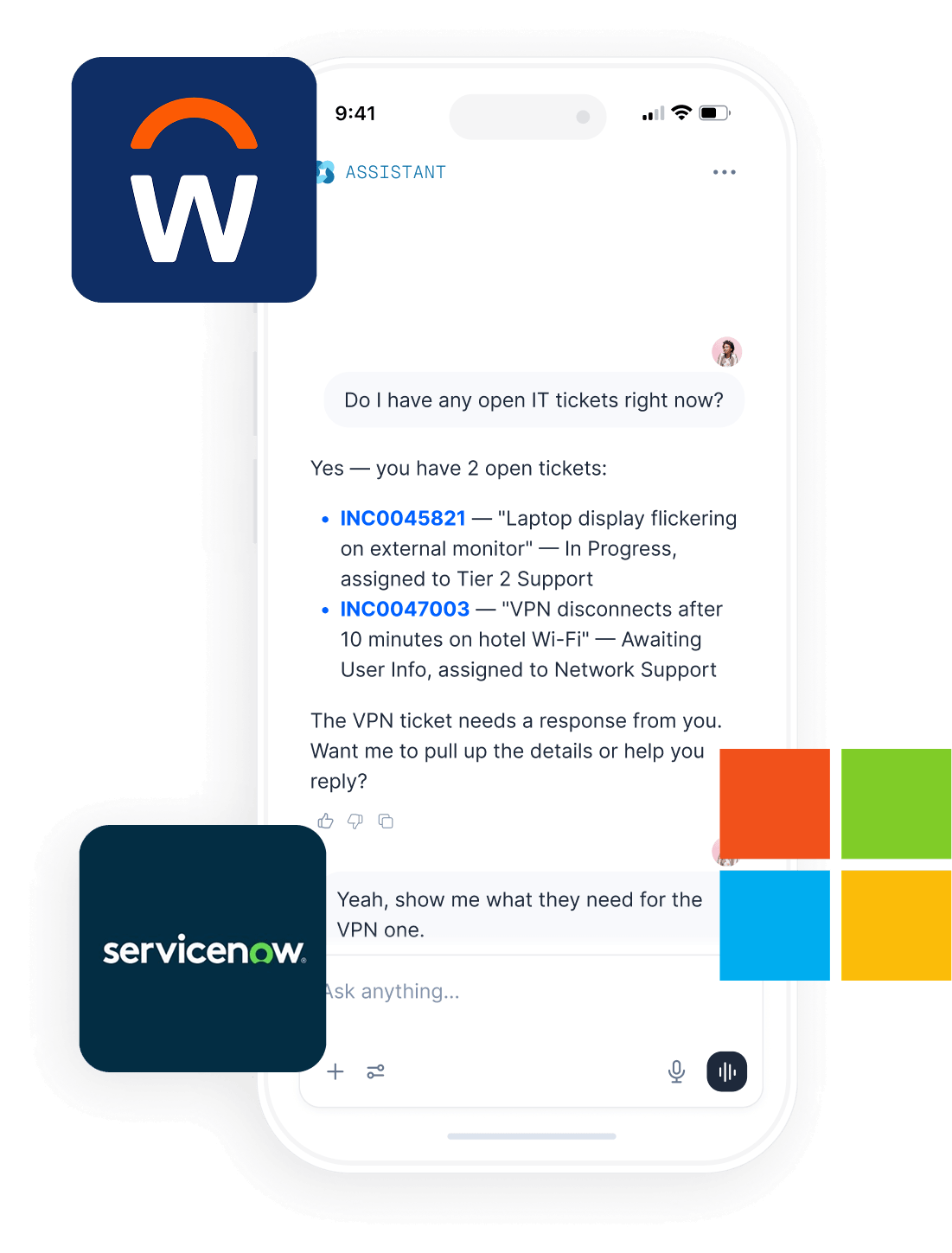
Connect Appspace Assistants to other enterprise systems like ServiceNow, Microsoft 365, and Workday through Model Context Protocol, or MCP, integration. Employees can perform cross-system tasks in a single conversation, while IT teams gain a centralized interface to manage these connections directly in the admin console.
AI image editing
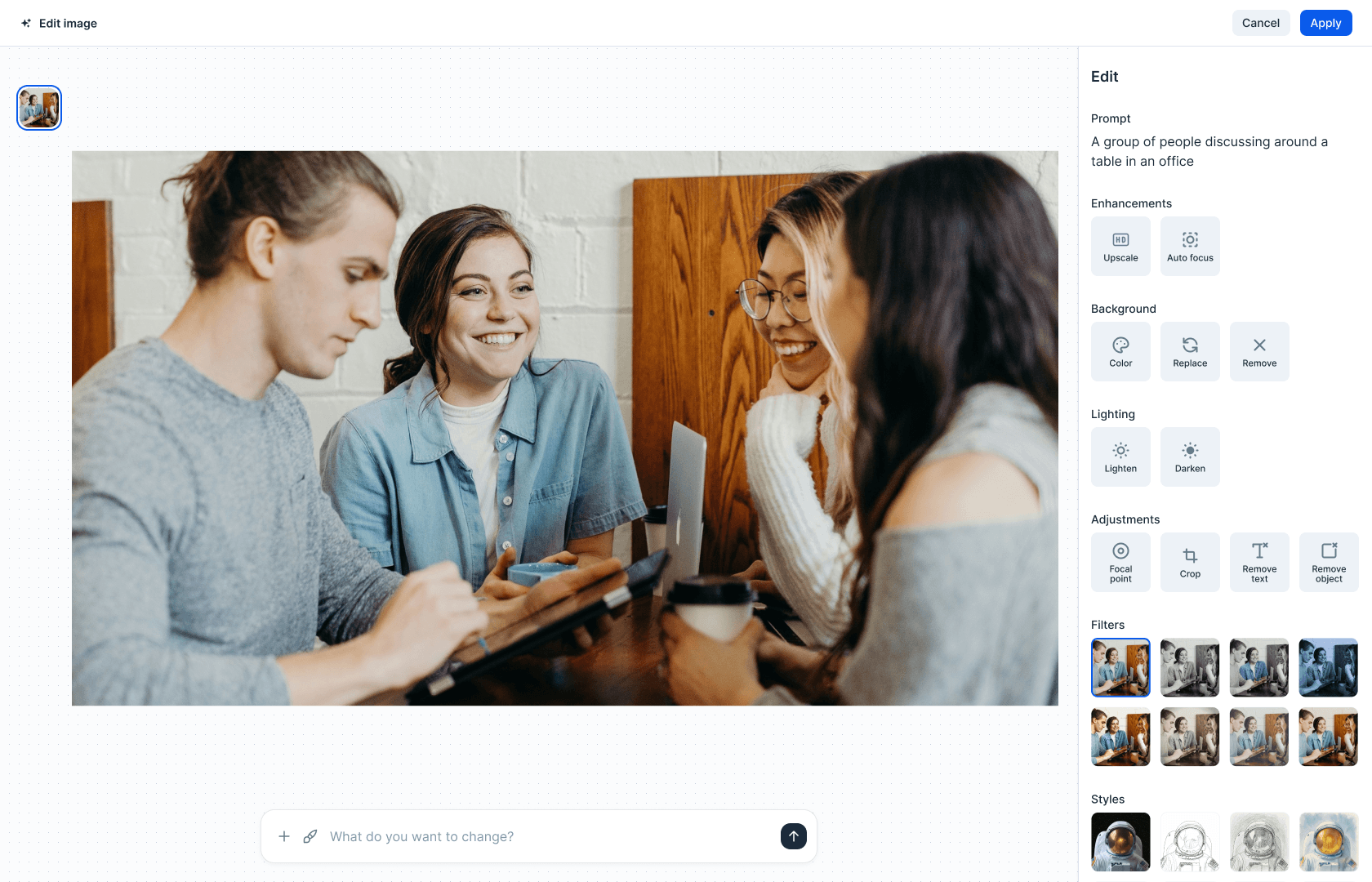
AI-generated images don’t always get it right the first time. With Appspace’s built-in image editor, you can use simple text prompts to add, remove, or replace content in any area of an image. Enhance sharpness, adjust lighting, swap backgrounds, apply filters, and reposition objects—all in just a few clicks.
Device Tasks UI modernization
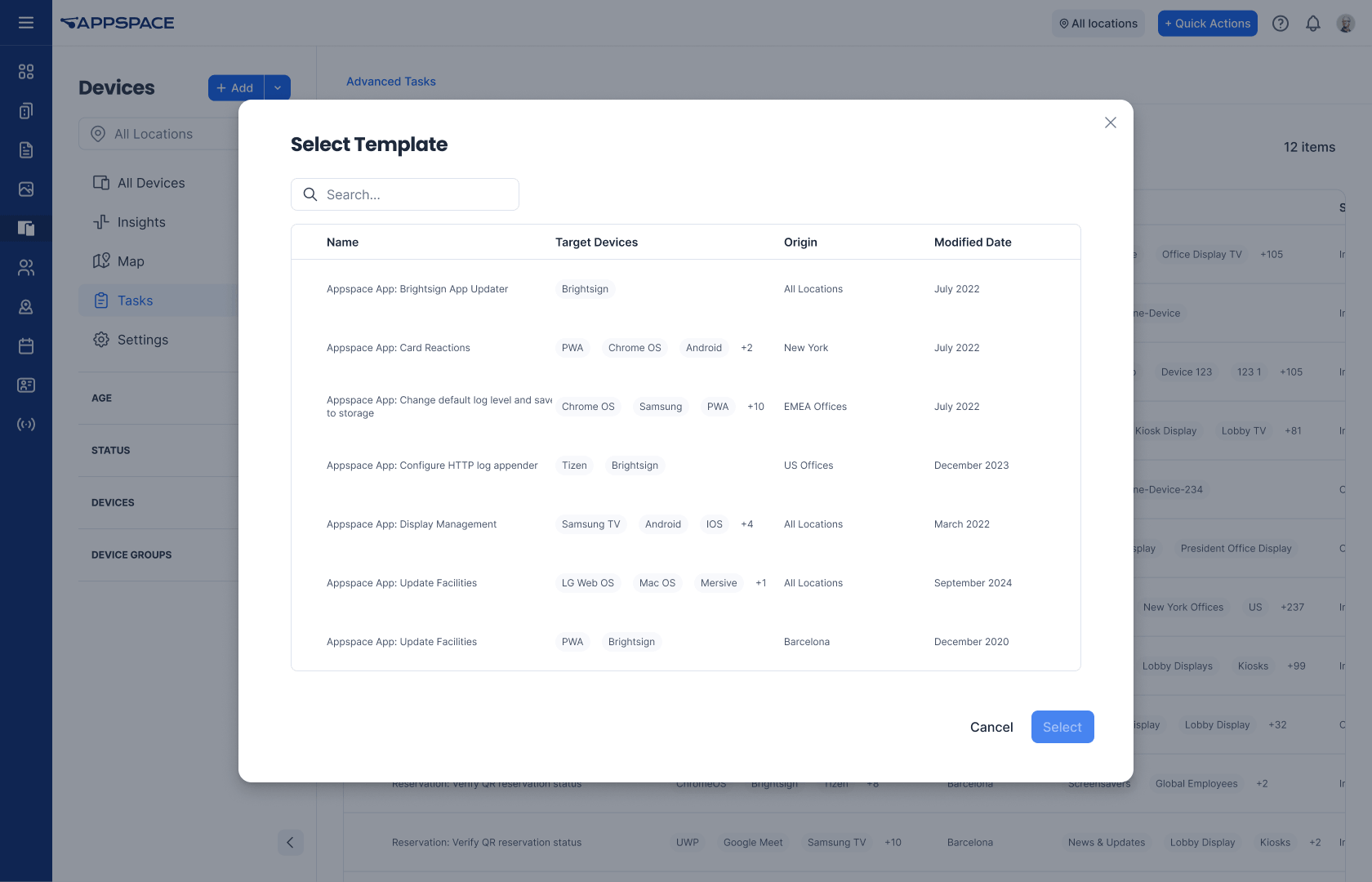
Device Tasks have been completely redesigned with a modern interface, giving you powerful search capabilities, bulk device selection, and centralized task visibility. Now managing and deploying tasks across your device network is faster and more intuitive than ever.
Visitor invitation enhancements
Make handling group arrivals faster and more professional with custom invitation naming, personalized notifications for each attendee, and a shared QR code that lets an entire party check in together or separately. This reduces queues and gives hosts greater visibility and control over group invitations.
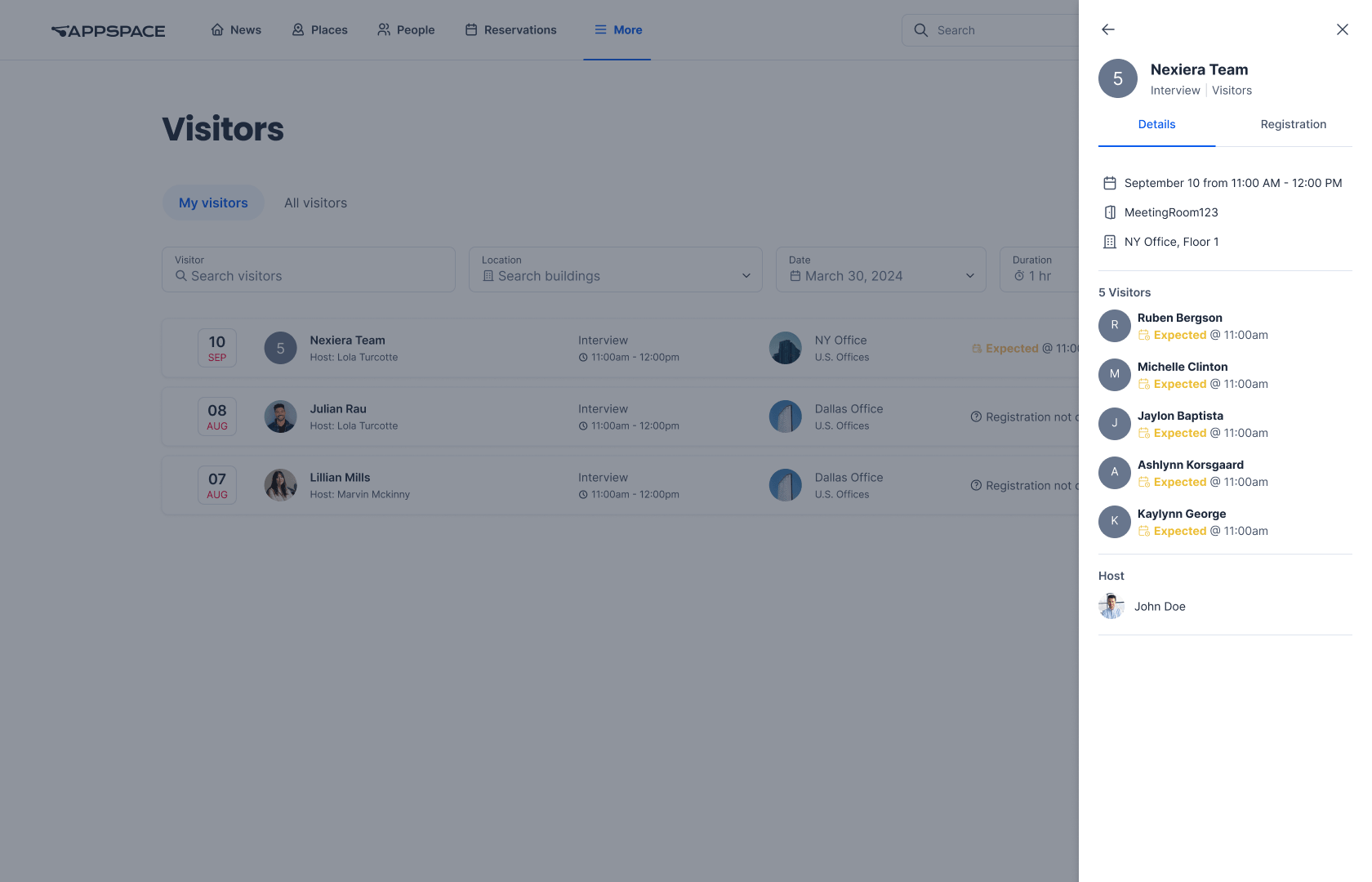
COMING SOON
Qbic BookBuddy Connect certification
Later this quarter, Appspace will support hot desking with the Qbic BookBuddy Connect. Simply connect your laptop to the dock and a reservation will be created until you end the connection. Plus, the BookBuddy Connect can double as a digital signage display while it’s not being used.
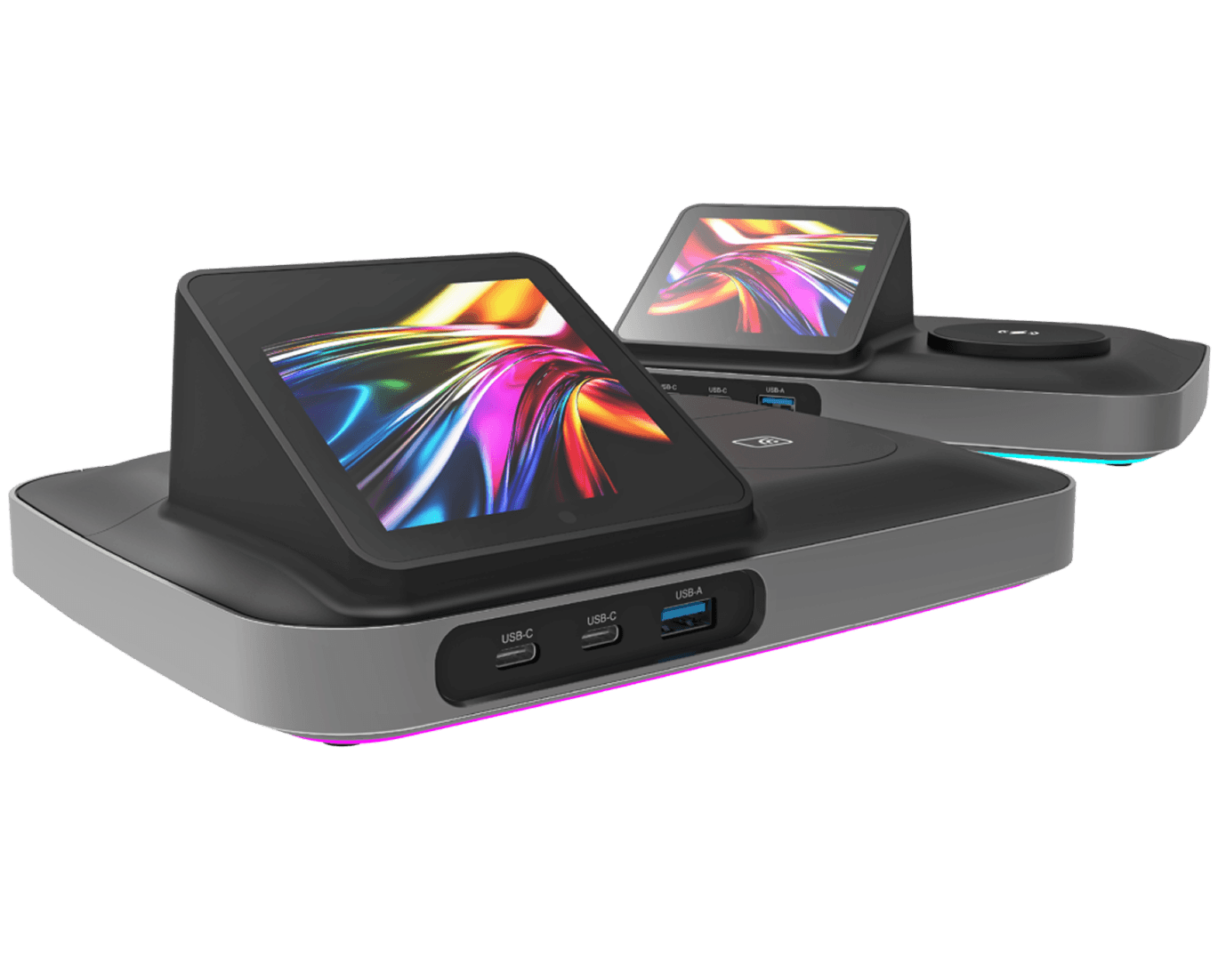
COMING SOON
Space Reservation widgets
We’ll be rolling out new purpose-built widgets designed to streamline how concierge staff and employees manage, monitor, and book spaces. From a unified checkpoint overview and color-coded calendar view to a friction-free quick booking experience, these widgets bring essential reservation workflows together across other areas of the platform like your homepage and custom Spaces.
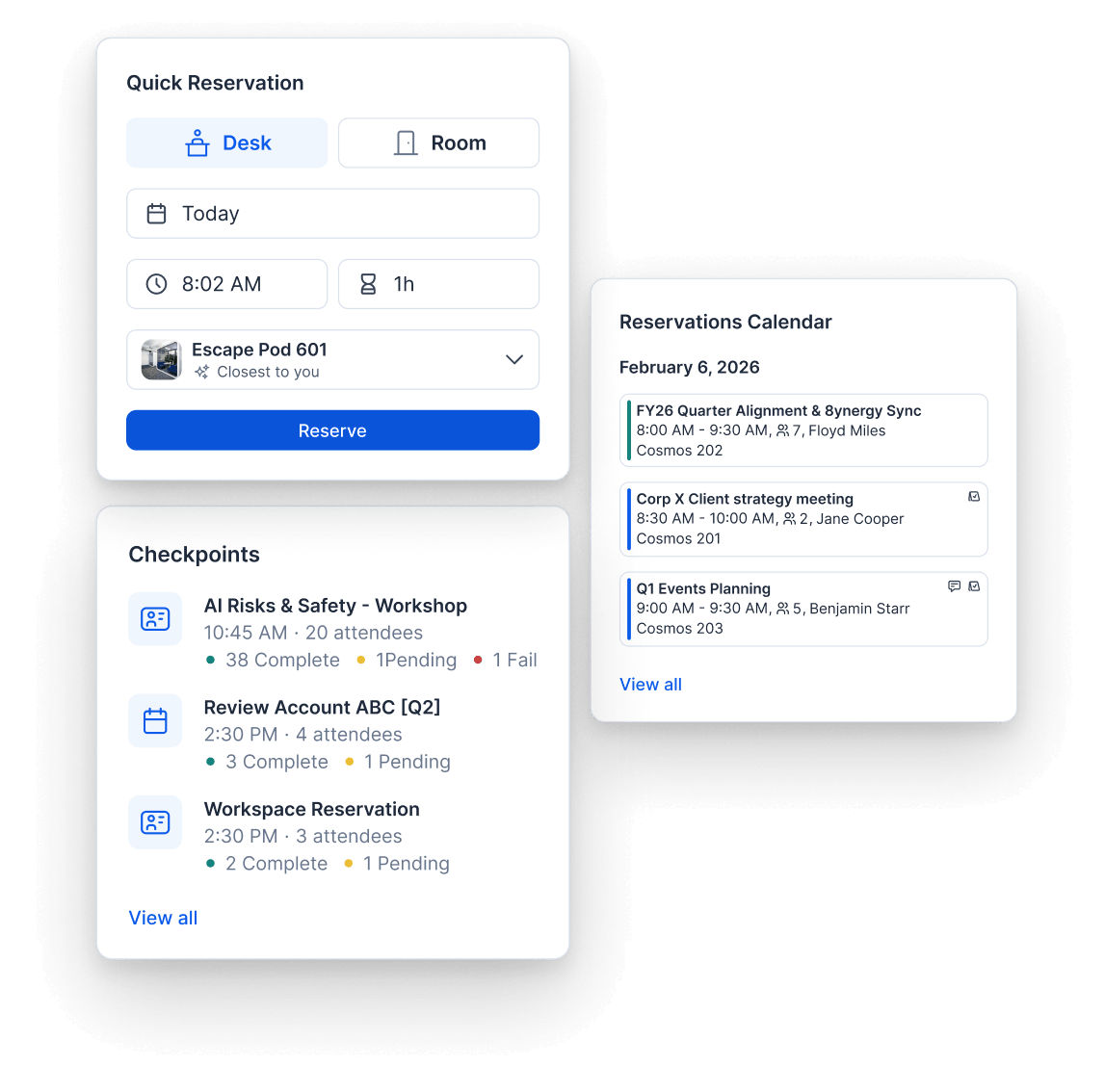
Beyond the stars
Dorado includes dozens of other enhancements to help you create a workplace your employees love. Here’s a look at some other items you can find in this release.
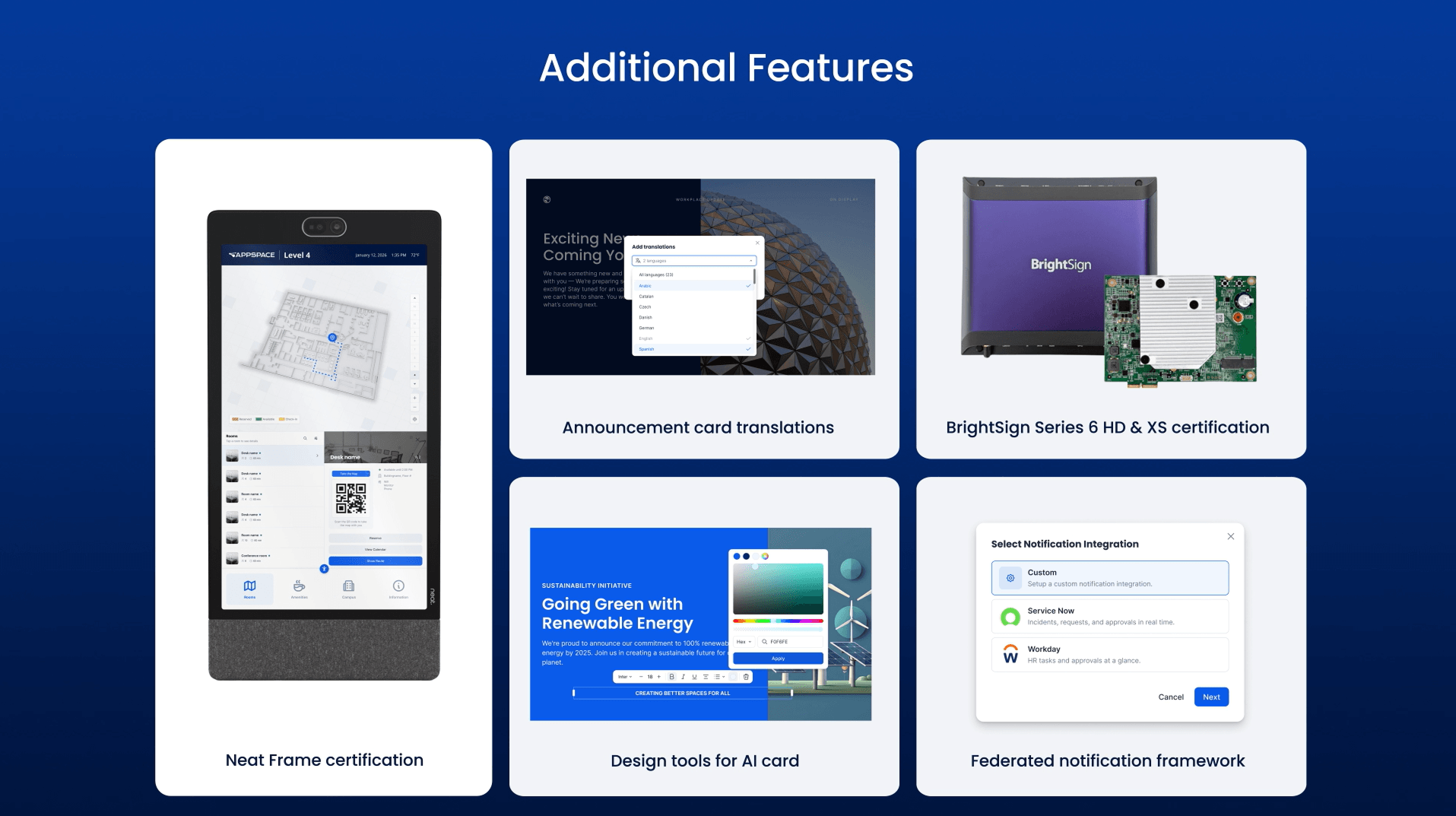
- Neat Frame certification – The Neat Frame is now officially Appspace-certified, giving IT and procurement teams the formal compatibility validation they need to confidently deploy and approve Neat hardware for digital signage.
- Announcement card translations – Announcement cards now support all 33 Appspace languages with centralized translation management and flexible playback options, so global teams can deliver multilingual content from a single card instead of managing duplicates.
- BrightSign Series 6 HD & XS certification – BrightSign Series 6 HD & XS devices are now officially Appspace-certified, giving customers the confirmed compatibility they need to confidently deploy and future-proof their digital signage infrastructure.
- Design tools for AI card – Effortlessly drag, drop, and style beautiful, on-brand digital signage content without ever relying on third-party design tools.
- Federated notification framework – Appspace now serves as a centralized notification hub for enterprise systems, letting authenticated third-party applications push actionable alerts directly into Appspace with mobile and web push support.
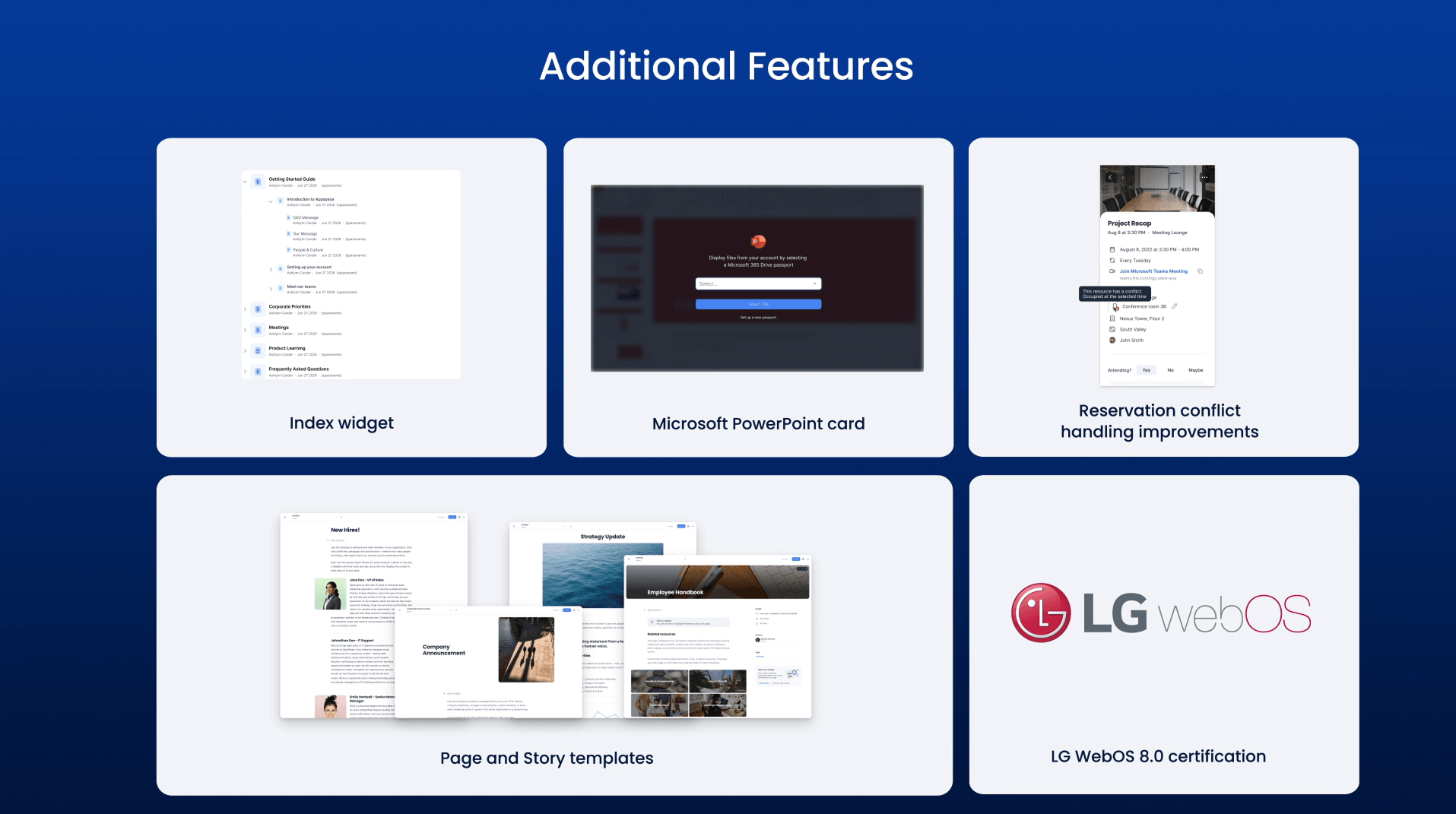
- Index widget – The new Index widget lets intranet administrators surface wiki and page content directly on the homepage or Spaces, so employees can navigate to the right information without relying on search.
- Microsoft PowerPoint card – The new Microsoft PowerPoint card enables secure, authenticated access to protected presentations with automatic content refresh, so digital signage always reflects the latest version without manual updates.
- Reservation conflict handling improvements – Reservation conflict handling now gives administrators granular configuration controls to define how conflicts between third-party calendar reservations and Appspace rules are resolved, replacing the previous behavior that automatically removed conflicting resources.
- Page and Story templates – Page and Story templates give content creators a centralized library of pre-formatted, brand-aligned layouts to choose from when creating new content, ensuring consistency across teams while eliminating the time spent building pages from scratch.
- LG WebOS 8.0 certification – LG WebOS 8.0 devices are now officially Appspace-certified, giving customers confidence to deploy LG’s latest displays with full platform compatibility. Plus, take advantage of bulk device registration via serial number for streamlined rollout.
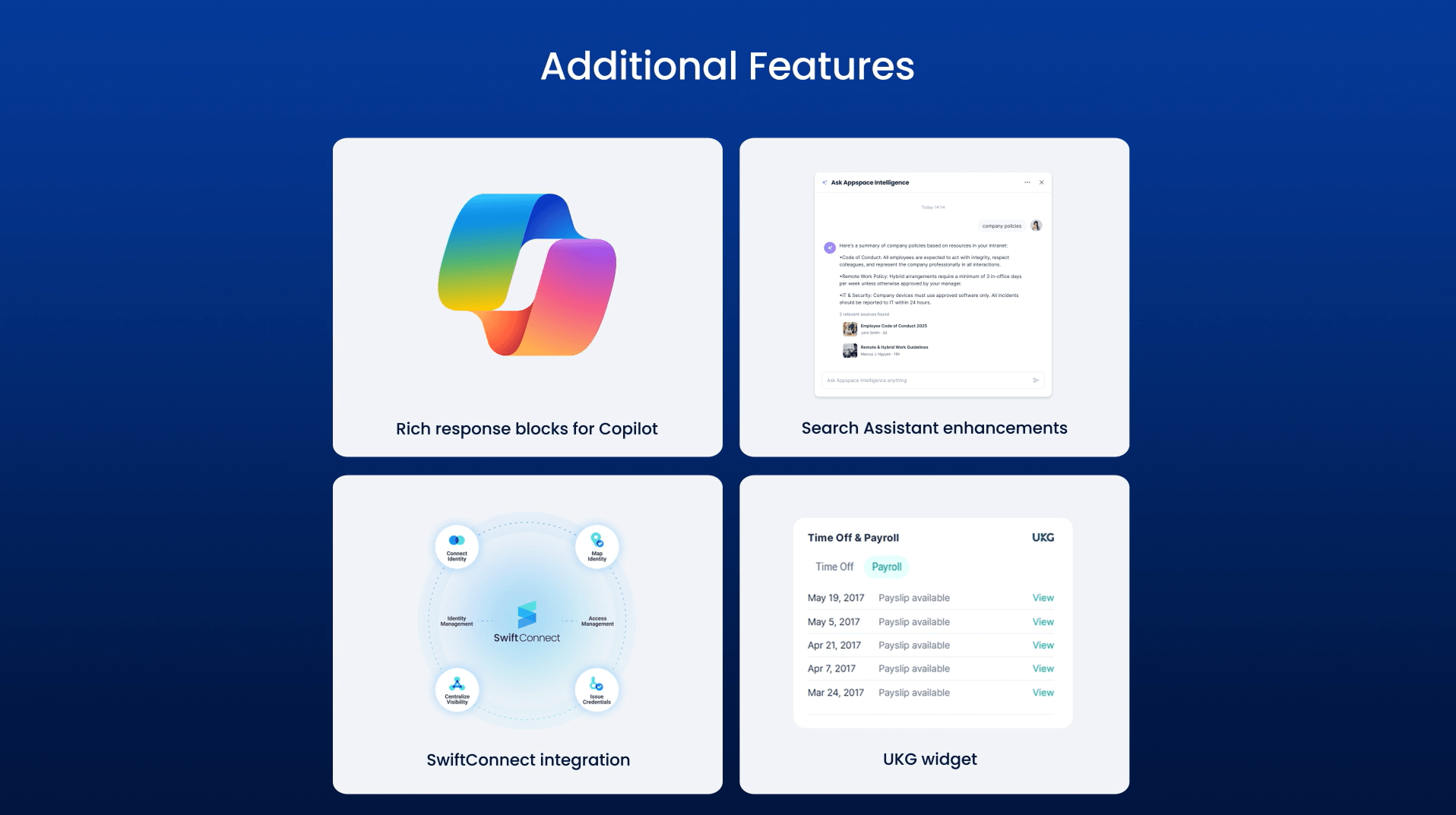
- Rich response blocks for Copilot – Microsoft Copilot responses to Appspace queries now render as rich, structured content — including buttons, citations, and charts — with consistent formatting across Microsoft Teams.
- Search Assistant enhancements – The Search Assistant has been migrated to the Assistant Framework v2, delivering improved semantic search, natural language query understanding, and more relevant results.
- SwiftConnect integration – The Appspace mobile app now integrates SwiftConnect, letting employees provision NFC building access passes directly to Apple or Google Wallet for instant tap-to-enter access at HID readers.
- UKG widget – The UKG widget lets employees view paycheck history, earnings breakdowns, and time-off balances directly in Appspace, reducing app-switching and making Appspace the go-to destination for pay and time-off visibility.
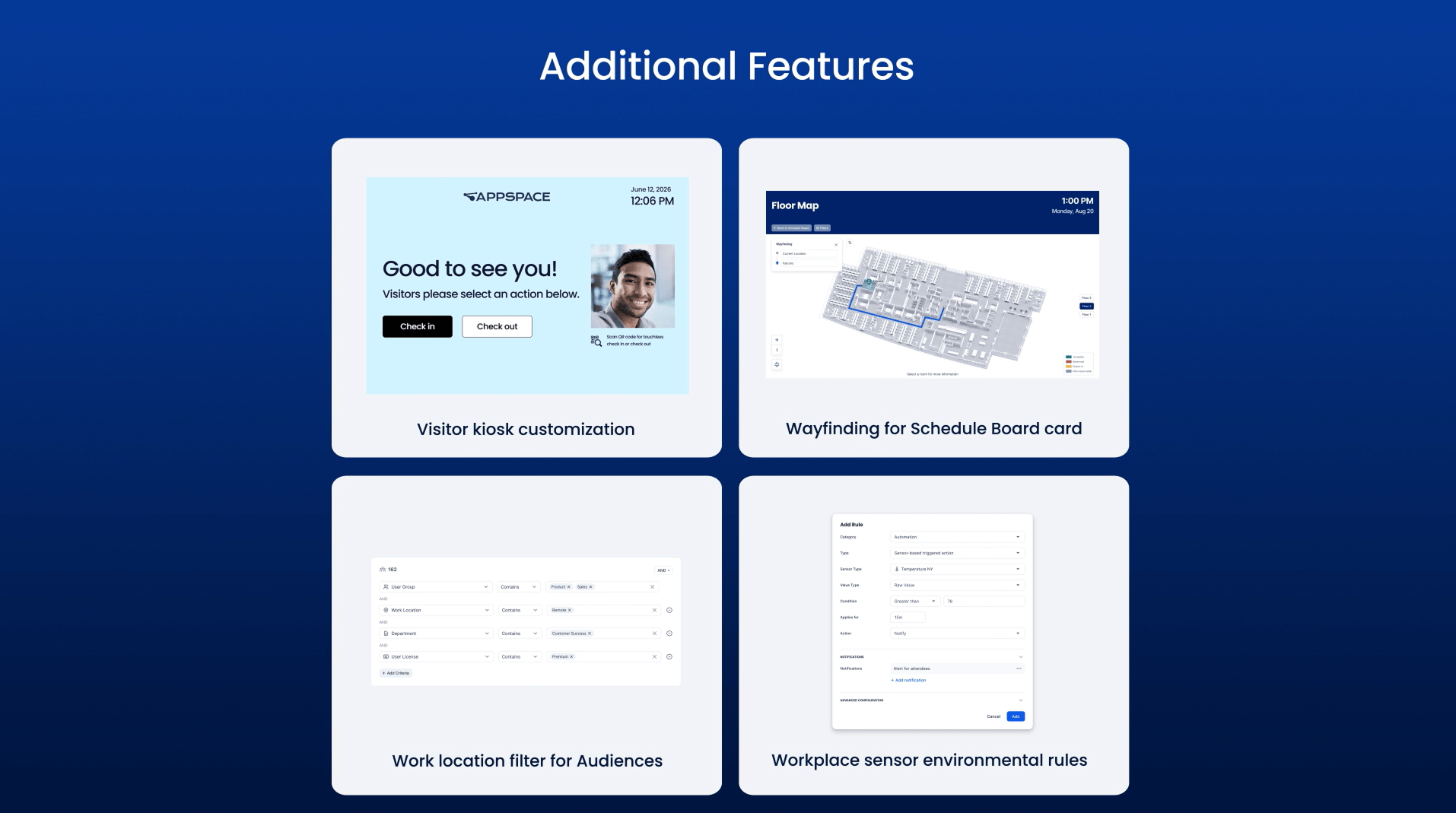
- Visitor kiosk customization – Visitor kiosks now offer deep branding and configuration options — including Brand Center support, customizable messaging, and regional settings like clock format — giving admins the control to deliver a consistent, localized check-in experience.
- Wayfinding for Schedule Board card – The revamped Schedule Board card delivers a modernized wayfinding and space discovery experience with enhanced floor navigation, point-to-point wayfinding, real-time availability, and granular configuration controls.
- Work location filter for Audiences – Work Location is now an available filter for building Audiences, letting communications teams target content based on where employees are working today or scheduled to work in the future.
- Workplace sensor environmental rules – Automation rules now support environmental sensor triggers, allowing facilities teams to automatically notify stakeholders, restrict bookings, or cancel upcoming meetings when CO₂, temperature, humidity, air quality, or other sensor readings breach defined thresholds.
To learn more about the entire Carina release, view the full release notes.

