Skip to content
WOW2026 Logo

Last call for Registration | Learn more ›

Appspace Logo
  • Products

    PRODUCTS

    Intranet

    Reach your whole team every time

    Workspace

    Space & desk booking

    PRODUCT

    Signage

    Video walls, kiosks & digital signage

    Visitors

    Visitor management & wayfinding

    PLATFORM

    Appspace AI & assistants

    Analytics & insights

    Integrations

    Security & trust

    Workplace orchestration

  • Solutions

    By need

    Frontline workers
    Hybrid workplace
    Smart workplace
    Culture & engagement
    Asynchronous communications

    By team

    Communications teams
    Workplace teams
    Facilities teams
    IT teams

    By industry

    Financial services
    Healthcare
    Industrial & manufacturing
    Retail
    Education
  • Resources

    WOW

    Customer stories

    Blog

    Guides & reports

    Product demos

    Events & webinars

    In the news

    Glossary

    Marketplace

    Services

    Appspace Community

    Knowledge center

    Support

  • Partners

    PARTNERS

    Partner overview

    Technology partners

    Resellers & alliances

    Appspace for Microsoft

    Appspace for Google

    PARTNER RESOURCES

    Partner portal

  • Pricing
  • Products
    • Intranet
    • Signage
    • Workspace
    • Visitors
  • Solutions
    • For Communication Teams
    • For Workplace Teams
    • For Frontline Workers
    • For Hybrid Teams
    • IT Recession-Proof
    • Better Office Experience
    • Appspace for Microsoft
    • Appspace for Google
    • Appspace AI
  • Customer
    • Appspace Community
    • Knowledge Center
    • Support
    • Product Roadmap
  • Pricing
  • Resources
    • Blog
    • Guides & More
    • Events & Webinars
    • Product demos
    • Customer Stories
    • About Us
    • Press
    • Partners
    • Knowledge Center
    • Glossary
  • Try For Free
  • Sign in
  • Contact Us
Sign in
Try for free
Contact us
Home

Operations Channel

Features and Description

Create a connected, safe, and productive workplace with our Operations templates. Templates can be easily branded with your colors and fonts to provide consistent, engaging messages. Simply import the channel into your account to get started.

Specifications

Stakeholder

A teal circle with a white gear icon in the center, symbolizing settings or configuration options.Operations

Content Category

Goals & Performance

Productivity & Engagement

Use this channel

  1. Copy the import link below
  2. Import into your account - learn now here
Copy Import Link

Communication Breakdown

Goals & Performance
Productivity & Engagement
Safety & Compliance

Content Items

Red emergency alert screen with radiation warning symbol, text reads: EMERGENCY. A state of emergency has been issued for your location. Stay informed and be ready to act for your safety. Your support and info hub. Large arrow points right.

Alert

Alert your organization to a hazardous event and provide critical instructions so they can stay safe.

Blue welcome screen for Quikbite Catering with a white icon of three people, a Begin button in the top right corner, and instructions to check in and pick up a visitor badge.

Visitor Welcome Message

Welcome visitors to your facility and provide them with instructions for checking in.

Blue background with a large exclamation mark inside a circle at the top. Below, bold text reads Security Reminder. Subtext instructs guests to check in at the front desk and receive a visitor badge.

Security Reminder

Cut through the noise and communicate critical security and safety information to the right people at the right time.

Blue screen with WiFi symbol and text: GUEST WIFI. Network Name: Guest Internet. Password: internet1. Please contact ? with any questions.

Guest WiFi

Provide guests with network login information so they can stay connected while visiting your facility.

A blue screen displaying a laptop icon above the text Tech Support. Below, there is a message instructing users to contact IT by emailing IT@ourcompany.com or calling 555-0123 for assistance with equipment issues.

Get Support

Connect employees and visitors with your support team to solve tech issues before they become problems.

Digital display showing a conference rooms availability. Text reads: Room Available with a countdown of 2 hours and 16 minutes. Features a Book now button. Upcoming meetings listed, with Walking with Elephants at 6:29pm highlighted.

Room Scheduling

Share booking schedules for conference rooms and other collaborative spaces.

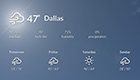
Weather forecast image showing cloudy skies with a chance of rain. Current temperature is 47°F. Predictions: Thursday, 49°F; Friday, 47°F; Saturday, 50°F with sun; Sunday, 46°F. Icons indicate weather conditions for each day.

Weather

Post local weather updates and forecasts.

Blurry stock chart background with text overlay about Reddits r/wallstreetbets. Text highlights its rise in popularity, mentioning millions of users participating and its impact on the market in early 2021.

News

Keep your employees informed of the latest news. Post relevant RSS feeds from new, sports, or entertainment sites.


PRODUCTS

Intranet
Signage
Workspace
Visitors

PLATFORM

Appspace AI & assistants
Analytics & insights
Integrations
Security & trust
Workspace orchestration

COMPANY

About
Leadership
Services
Partners
Careers
Press

GET THE APP

Workplace Communication iPhone App
Workplace Communication Android App

HELPFUL LINKS

Support
Manage Account
Cloud Status
Legal
Privacy Policy
Contact
Linkedin Facebook Youtube
Get email alerts
Get email alerts

© 2026 Appspace Inc. Appspace is a registered trademark of Appspace Inc. All rights reserved.