
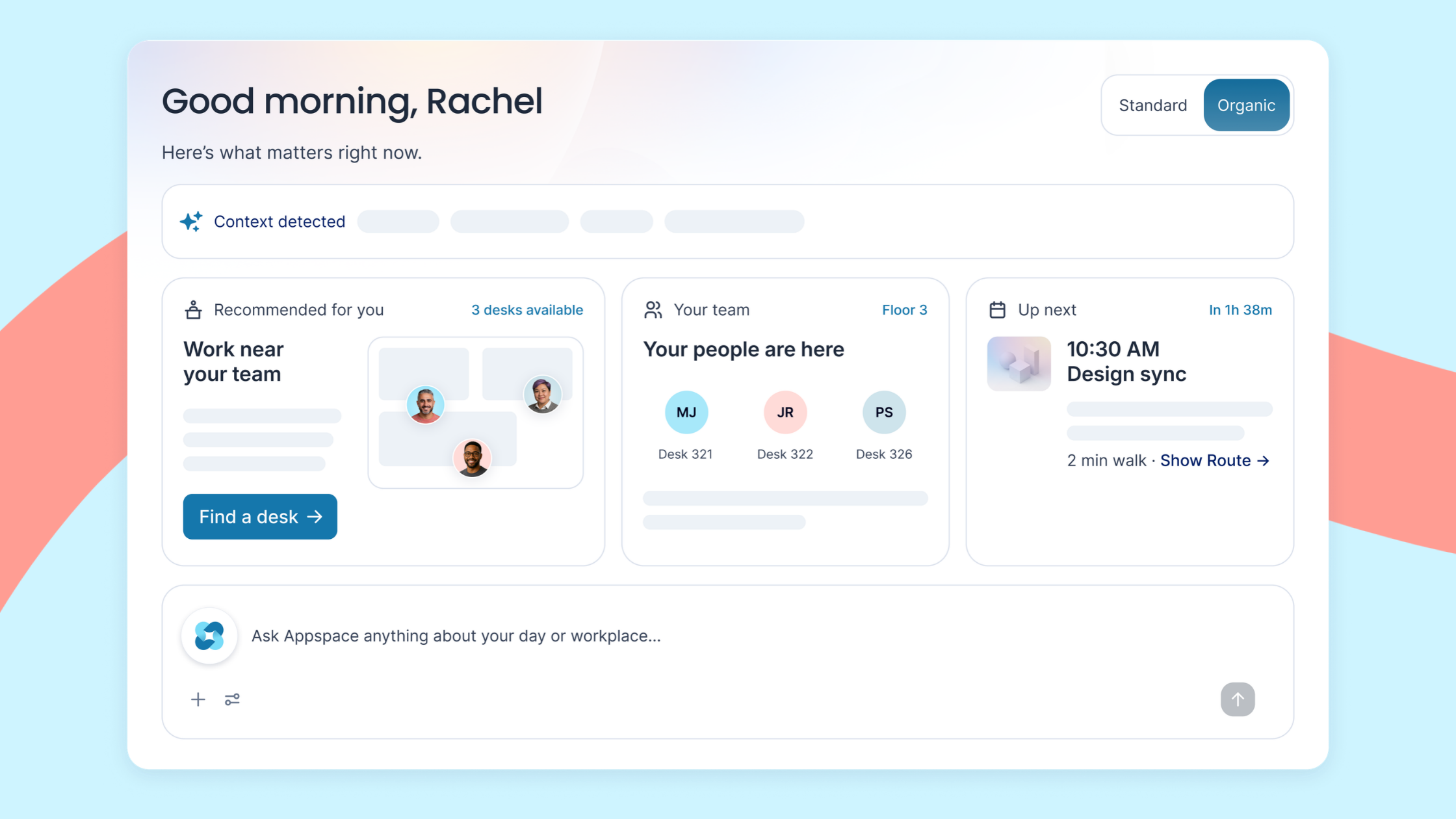
What is Appspace Organic UI? The workplace interface that shapes itself around your day
Quick answer
Organic UI™ is an Appspace interface that uses your role, location, schedule, and other workplace context to show relevant information, tools, and actions. It’s designed to help employees find what they need with fewer searches and less switching between tools.
Every app you use at work was created by someone who’s never met you.
They chose a sensible menu, put the popular features up top, and designed it for the average employee on an average day. But nobody is the average employee, and hardly any day is average.
So you do the adapting. You learn where things live, click through to the part you need, and do it all again tomorrow. And that’s assuming you remembered the task in the first place.
Organic UI™ is our vision for changing that experience.
What is Organic UI?
Organic UI is an Appspace interface built to adapt around the person using it. It uses context about you, such as your role, schedule, and location, to show the information, tools, and actions that matter in the moment. Less relevant items become less prominent.
That’s not how software usually works. “Traditional software interfaces rely on predefined navigation, modules, and workflows,” says Thomas Philippart de Foy, Appspace’s Chief Innovation Officer. “Users have to find what they need regardless of what they are trying to do or what is happening around them.”
By 2028, more than 20% of digital workplace applications will use AI-driven personalization to create adaptive experiences for workers. But right now, only 23% of digital workers are completely satisfied with their work applications as of 2024, down from 30% in 2022.
How Organic UI decides what to show you
Organic UI uses what it already knows about your workplace. Appspace is a single platform for intranet, digital signage, space reservation, visitor management, and AI. That means Organic UI can draw on signals such as your role, location, schedule, and what’s happening around you.
It uses those signals in two ways:
- Showing what’s relevant. The information, tools, and actions you’re most likely to need appear first. Everything else becomes less prominent, so it stops competing for your attention.
- Shaping the experience to the task. Organic UI generates the experience needed for a specific task. Say you’re traveling to another office: that’s one tool for the flight, another for the hotel, and a third for the desk. Organic UI brings all three tools into a single view.
Organic UI changes the interface as your needs change.
Organic UI at work
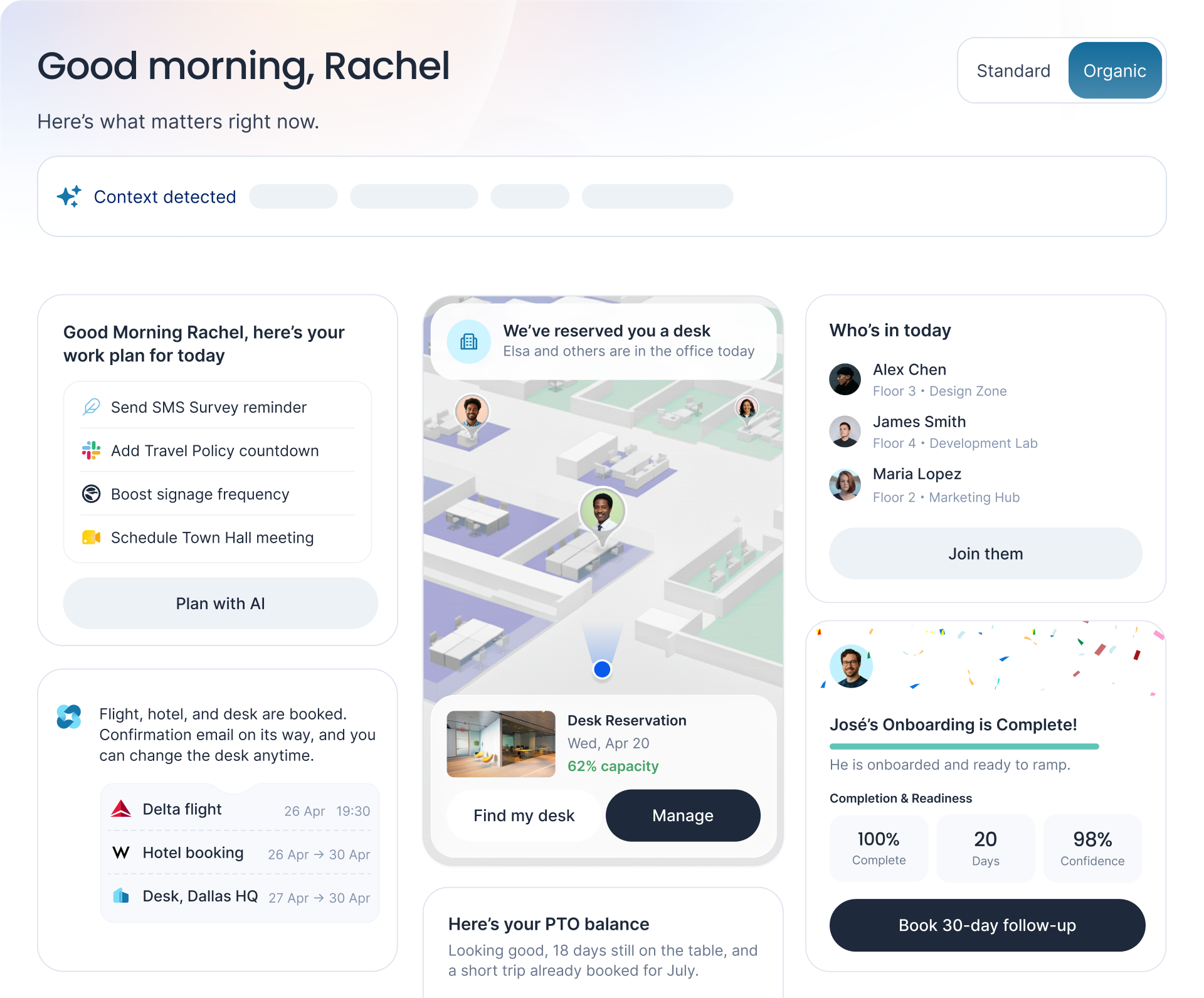
Rachel opens Appspace on a Monday morning. Six dynamic cards show her what’s relevant for today.
| Orgainc UI card | Card contet |
|---|---|
| Today’s work plan | Four to-dos: send the SMS survey reminder, add a travel policy countdown, boost signage frequency, and schedule the Town Hall. One button lets her start planning it all with AI. |
| Upcoming trip | Her flight, hotel, and a desk at Dallas HQ are all booked – plus an update on the status of the confirmation email. |
| Today’s desk | Her desk is automatically reserved, with a floor plan showing where colleagues are sitting. |
| PTO balance | How many PTO days she has available, plus a reminder about upcoming time off. |
| Who’s in today | Which colleagues are currently in the office, with each person’s location listed by floor and zone. |
| Milestone update | Confirmation that a colleague’s onboarding is complete. She can see his readiness at a glance, with the ability to book a follow-up meeting. |
Rachel didn’t have to open six separate tabs to get here. Each one appears on a single screen, with the ability to take next steps right from the relevant card.
The workplace problems Organic UI solves
Organic UI is designed around some of the workplace’s most common sticking points.
Looking for the right tool
Employees spend a significant part of every day searching. Which app, which menu, which page? In our research, 25% of employees say their biggest source of workplace disconnect comes from different tools for physical and digital workflows.
Organic UI helps smooth out that pain point. When your desk for the day or the list of colleagues in the office appears right on your screen, there’s less you have to remember. There are fewer steps between deciding to do something and actually doing it.
Information overload
26% of people say the primary reason they miss key information at work is because they’re overwhelmed by messages and channels. Another 24% said their top cause was important information getting buried in long or unclear messages.
Organic UI pushes less relevant items out of the foreground, so people see what actually matters to them.
Same interface, different workers
A frontline worker on a shared device and an analyst at a desk have very different workdays…but they often have to use the same tool layout.
Frontline teams feel it most. 84% of people say their organization could do a better job of getting consistent communication and important updates to frontline workers.
Organic UI adapts to each role and location, giving each worker a dashboard that fits their day. For example, Rachel’s screen reflects her work plan, her upcoming trip, and José’s onboarding. A colleague in a different role or at a different site would open Appspace to a different set of cards.
Underused tools
Workplace teams invest in good tools that often go underused. People can’t find them, forget they exist, or don’t want to learn another menu.
When the right action shows up at the moment it’s useful, using it takes zero effort. That gives adoption a better chance to stick than another training campaign would.
Onboarding and software changes
Every new hire has to learn where to find information and tools – and every layout redesign means learning it all over again.
Organic UI’s interface only shows relevant information and actions, meaning there’s less to memorize. New employees can get productive faster. Long-term employees waste less time adapting to new layouts.
What Organic UI means for your teams
Employees get to what they need in fewer steps, wherever they’re working. They spend less time juggling tools and hunting for what they need.
Communications teams have an easier time putting messages in front of the people they’re relevant to, exactly when they’re useful. Important updates are equally visible without everyone having to keep tabs on the same channel.
Workplace and IT teams get more use out of the tools they’ve already invested in. Adoption goes up when taking action is as easy as clicking a button in a homepage card. Plus, the experience automatically tailors itself to each audience, meaning less manual work for UI teams.
How Organic UI fits into Appspace’s evolved workplace experience
Organic UI is one of the first ways we’re putting Appspace Context™ into practice.
Appspace Context is our vision for a workplace experience that understands the person, place, situation, and task, then responds as things change. Here’s everything you need to know about Appspace Context.
Organic UI applies Appspace Context to the employee interface. Meanwhile, Situational Signage applies the same idea to screens in the physical workplace.
Appspace Intelligence is the platform’s built-in AI. It applies the same contextual information to take workplace actions.
In short:
- Appspace Context provides the information and understanding.
- Appspace Intelligence turns that understanding into AI actions.
- Appspace Organic UI shapes what employees see, and the next steps they can take.
How to get ready for Organic UI
Organic UI is coming soon. Here’s how you can prepare:
- Connect more of your workplace. Every experience you run on Appspace adds signals. More signals give Organic UI more context to work with.
- Note where people get stuck. Record the tasks that prompt employees to ask, “Where do I go for that?”
- Keep your content and space data current. Accurate content and reliable room and desk information give Organic UI useful information to show employees.
Frequently asked questions about Appspace Organic UI
What is Appspace Organic UI?
Organic UI is an Appspace interface designed to adapt around the person using it. It uses context about the employee and their situation to show relevant information, tools, and actions. Less relevant items become less prominent.
How is Organic UI different from a traditional software interface?
Traditional software interfaces rely on predefined navigation, modules, and workflows, so users have to find what they need themselves. Organic UI adapts the Appspace interface around the person and task, helping reduce searching and switching between tools.
What context does Organic UI use?
Organic UI draws on context from across the Appspace platform, such as an employee’s role, location, schedule, and what’s happening around them. Appspace connects intranet, digital signage, space reservation, visitor management, and AI. Each adds another source of context.
What problems does Organic UI help solve?
Organic UI helps address time lost searching for tools and information, information overload, layouts that don’t fit different workers, low tool use, and slow onboarding. It does this by showing what’s relevant to each person and making less relevant items less prominent.
How does Organic UI relate to Appspace Context?
Organic UI is one way Appspace puts Context into practice. Appspace Context is our vision for a workplace experience that understands the person, place, situation, and task. Organic UI applies that understanding to the Appspace interface.
Is Organic UI available today?
Organic UI is coming soon. We unveiled it at WOW26, Appspace’s annual workplace experience conference.

