
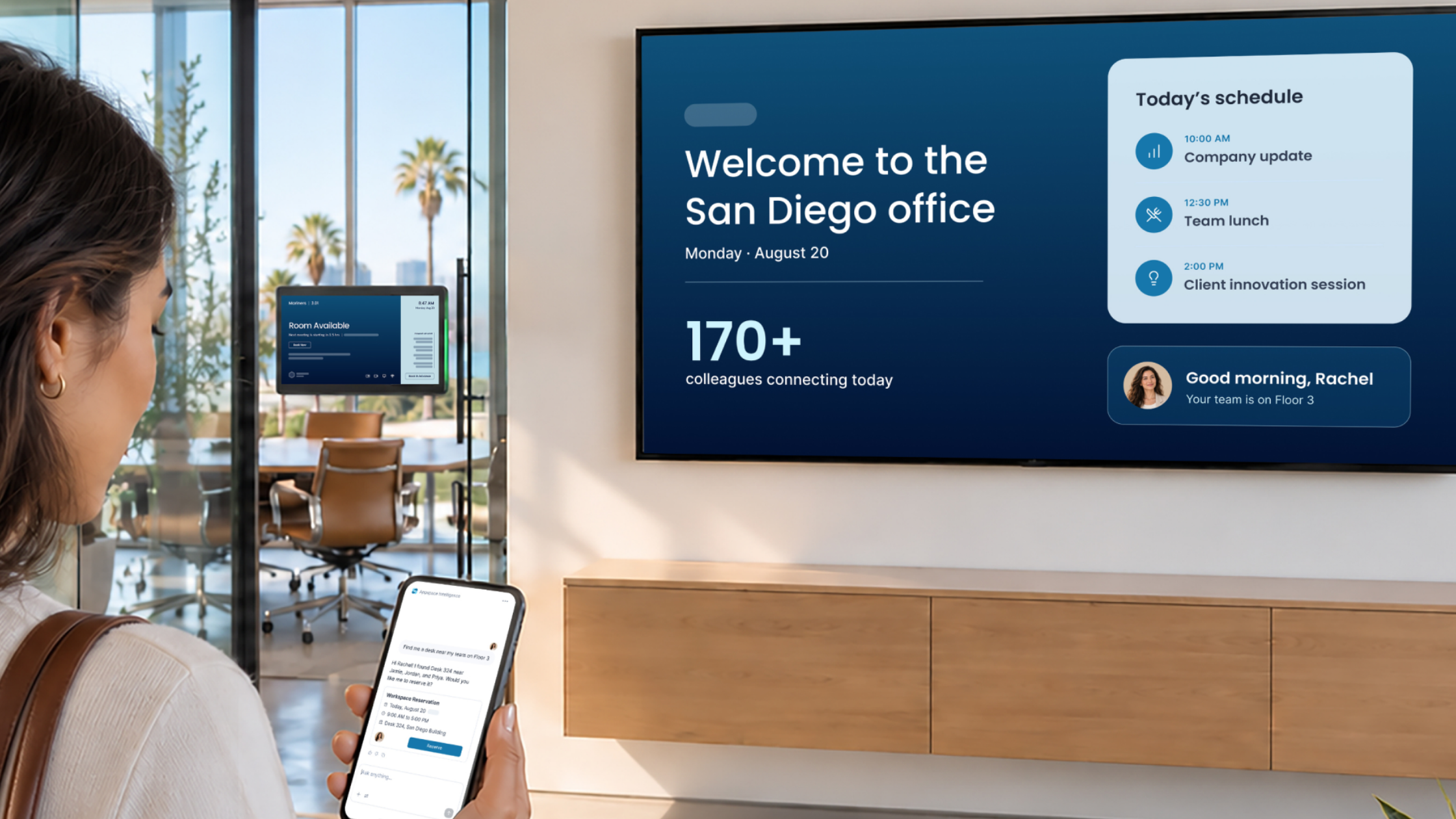
What is Situational Signage? Digital signage that responds
Quick answer
- Situational Signage is an Appspace capability that lets digital signage respond to what’s happening around it in the physical workplace.
- Each screen becomes a position in a building, so it knows where it is, what spaces are nearby, and what’s going on there.
- When a floor closes, a room frees up, or a visitor arrives, nearby screens respond without anyone publishing new content or editing device groups.
- For organizations, that means screens that stay current, far less manual programming, urgent messages that reach the right part of the building, and a better welcome for visitors.
- Situational Signage is part of Appspace Context™, Appspace’s vision for a more responsive workplace experience, and it’s coming soon.
Most workplace screens play the same digital signage content no matter what’s happening around them.
To the system behind them, each one is a device on a list. Someone assigns it a channel, and it plays what it’s been told to play. The room next door could empty out, the floor above could close, a visitor could be standing right in front of it, and the screen would carry on regardless.
When things change, someone needs to notice. Then they’ll have to update the content and hope the right screens are in the right group. Situational Signage™ is our vision for handing that job to the screen.
What is Situational Signage?
Situational Signage is an Appspace capability that lets digital signage respond to what’s happening in the physical workplace. Each screen becomes a position in a building, where today it’s a device on a list.
The screen can take into account where it is, what spaces are around it, who is nearby, and what’s going on in the building. As that context changes, what the screen shows changes with it. Nobody has to publish new content, maintain device groups, or build rules by hand.
This goes further than smarter scheduling. Traditional signage starts with the screen and asks, “What content should this device play?” Situational Signage starts with the situation and asks, “What’s happening here, and what should the people in this place know right now?”
Situational Signage is one of the first ways we’re bringing Appspace Context™ to life. Context is our vision for a workplace experience that understands the person, place, situation, and task, then responds as things change.
Our introduction to Appspace Context has the full story.
How Situational Signage decides what to show
Situational Signage draws on what Appspace already knows about your workplace. Six kinds of signals can shape what appears on a screen:
- Location: where the screen sits, down to the building, floor, neighborhood, or zone.
- Spaces: the rooms and desks around it, and whether they’re booked, free, or recently vacated.
- Occupancy: how busy the surrounding area is right now.
- Visitors: who has checked in and where they’re headed.
- Workplace activity: closures, incidents, events, and other changes in the building.
- Communications: the messages meant for the teams and shifts who work nearby.
That last one changes how a message travels. A communication can be aimed at a building, a floor, a neighborhood, or a physical zone, where today it depends on an audience list, a channel, or a predefined group of devices.
One building, five situations
Here’s how Situational Signage could play out over an ordinary week.
| What happens | How the screens respond |
|---|---|
| A floor closes for maintenance | Nearby screens redirect employees around it. |
| An incident occurs | Emergency messages appear on the displays physically closest to the affected area. No one relies on a device group set up months or years ago. |
| A visitor checks in | The entrance display welcomes them and guides them to their destination. |
| A conference room frees up | Displays around that space show the change right away. |
| A survey needs more responses from one team | Reminders appear in the areas where those employees are working. |
In all five, nobody published anything or edited a device group. The situation changed, and the screens nearby changed with it.
The pain points Situational Signage takes on
Situational Signage is designed around common problems we hear from workplace and communications teams. The numbers below come from our 2026 workplace experience trends & insights research, a survey of 1,000 employees in the U.S. and U.K.
Stale screens: content that’s out of date as soon as plans change
A screen shows the world as it was the last time someone configured it. Meetings end early, rooms free up, floors fill, and the display carries on with yesterday’s picture. Timing matters to employees: 34% say poorly timed communication is a reason they miss key information.
Situational Signage keeps screens in step with the space around them. Nearby displays reflect what’s true now, so people can trust what they see and act on it.
Rules without end: manual programming and device groups
Signage teams spend hours anticipating scenarios, building rules, and keeping device groups tidy. Every office move or new screen adds more upkeep, and the building still finds ways to surprise them.
When a screen understands where it is, much of that upkeep can fall away. Your team decides what matters, and the screens work out where and when it applies.
Alerts in the wrong place: emergency and incident messaging
In an incident, the message has to reach the people who are physically affected. If that depends on a device group someone set up years ago, it may land on the wrong screens or miss the right ones. The stakes are high: 17% of employees say missing key information creates safety or compliance risks.
With Situational Signage, emergency communications can appear on the displays closest to the affected area, based on where those screens are today.
Lost at the front door: visitors and wayfinding
A visitor’s first few minutes shape how they see your organization. Too often those minutes involve a generic lobby loop and a wait for someone to come and collect them.
When a visitor checks in, the entrance display can welcome them, and screens can guide them to where they’re going. Your front-desk team gets time back, and your guest feels expected.
Messages that never reach the floor: communicating by place
Audience lists and channels work well for people at desks. They work less well for people who move around a site all day. In our research, 84% of employees say their organization could do a better job of getting consistent communication and important updates to frontline workers.
Situational Signage lets a message follow the place. If one team’s survey participation is low, the reminder can show up in the areas where that team is working. Employees already value the channel: 31% name real-time information on digital displays among the capabilities that most help them feel in the loop.
What Situational Signage means for each team
The benefits land differently depending on where you sit:
- Employees and visitors see information that fits where they are, and find their way more easily.
- Communications teams can reach people by place as well as by audience, including teams who rarely sit at a desk.
- Workplace and facilities teams get screens that keep up with closures, room changes, and incidents without a manual update.
- IT and signage administrators have fewer device groups and rules to maintain.
Why Appspace can do this
Responding to a situation takes two kinds of knowledge. Signage specialists may understand screens and content, but not the workplace around them. Employee experience platforms may understand people and communications, but not the physical display network.
Appspace connects both. Our platform already brings together people, buildings and maps, rooms and spaces, visitors, workplace activity, and employee communications. Situational Signage carries that context through to the screens.
Where Situational Signage fits with Appspace Context and Organic UI
Situational Signage is how Appspace Context shows up on your screens. Context gives the platform awareness of who, where, and what. Situational Signage makes that awareness physical and visible.
Organic UI™ is the other early example. It applies the same idea to the Appspace interface, bringing forward the information, tools, and actions each person needs in the moment.
Our deep dive on Organic UI covers how it works.
How to get ready for Situational Signage
Situational Signage is coming soon, and we’ll share availability as development progresses. In the meantime, three things will help you get more from it when it arrives.
- Know where your screens are. Record each screen’s building, floor, and zone. A screen can only respond to its surroundings if its position is accurate.
- Connect the systems that describe your building. Space reservation and visitor management add signals about rooms, occupancy, and arrivals. The more of them you run on Appspace, the more your screens have to respond to.
- List the moments your screens get wrong today. Floor closures, room changes, visitor arrivals, and urgent alerts are good places to start. That list becomes your test when Situational Signage arrives.
Signage that pays attention
We want every screen in your building to understand where it is and respond to what’s happening around it. That’s what we’re building, and we can’t wait to show you more.
Find out more about what we’re building with Appspace Context
Situational Signage FAQs
What is Situational Signage?
Situational Signage is an Appspace capability that lets digital signage respond to what’s happening in the physical workplace. Each screen knows where it is in the building and what’s going on around it, and what it shows changes as conditions change.
How is Situational Signage different from traditional digital signage?
Traditional digital signage starts with the screen: someone assigns content or a channel to a device, and it plays what it has been told to play. Situational Signage starts with the situation, using the screen’s location and the activity around it to decide what people in that place need to know right now.
What signals does Situational Signage use?
Situational Signage can draw on location, spaces, occupancy, visitors, workplace activity, and communications context. Appspace already connects these across its platform, which covers digital signage, space reservation, visitor management, intranet, and AI.
What problems does Situational Signage help solve?
Situational Signage targets out-of-date screen content, the manual work of maintaining signage rules and device groups, emergency messages that reach the wrong screens, poor visitor wayfinding, and communications that miss employees who aren’t at a desk. It does this by letting screens respond automatically to what’s happening nearby.
What are some examples of Situational Signage?
When a floor closes for maintenance, nearby screens redirect employees around it. A visitor checks in, and the entrance display welcomes them and screens guide them to their destination. When a conference room becomes available, the displays around it show the change.
How does Situational Signage relate to Appspace Context and Organic UI?
Situational Signage applies Appspace Context to digital signage, so screens in the physical workplace can respond to what’s happening around them. Appspace Context is Appspace’s vision for a workplace experience that understands the person, place, situation, and task. Organic UI applies the same context to the Appspace interface.
Is Situational Signage available today?
Not yet. Situational Signage was announced at WOW26, Appspace’s annual workplace experience conference, and is coming soon. Appspace will share more on availability as development progresses.

