

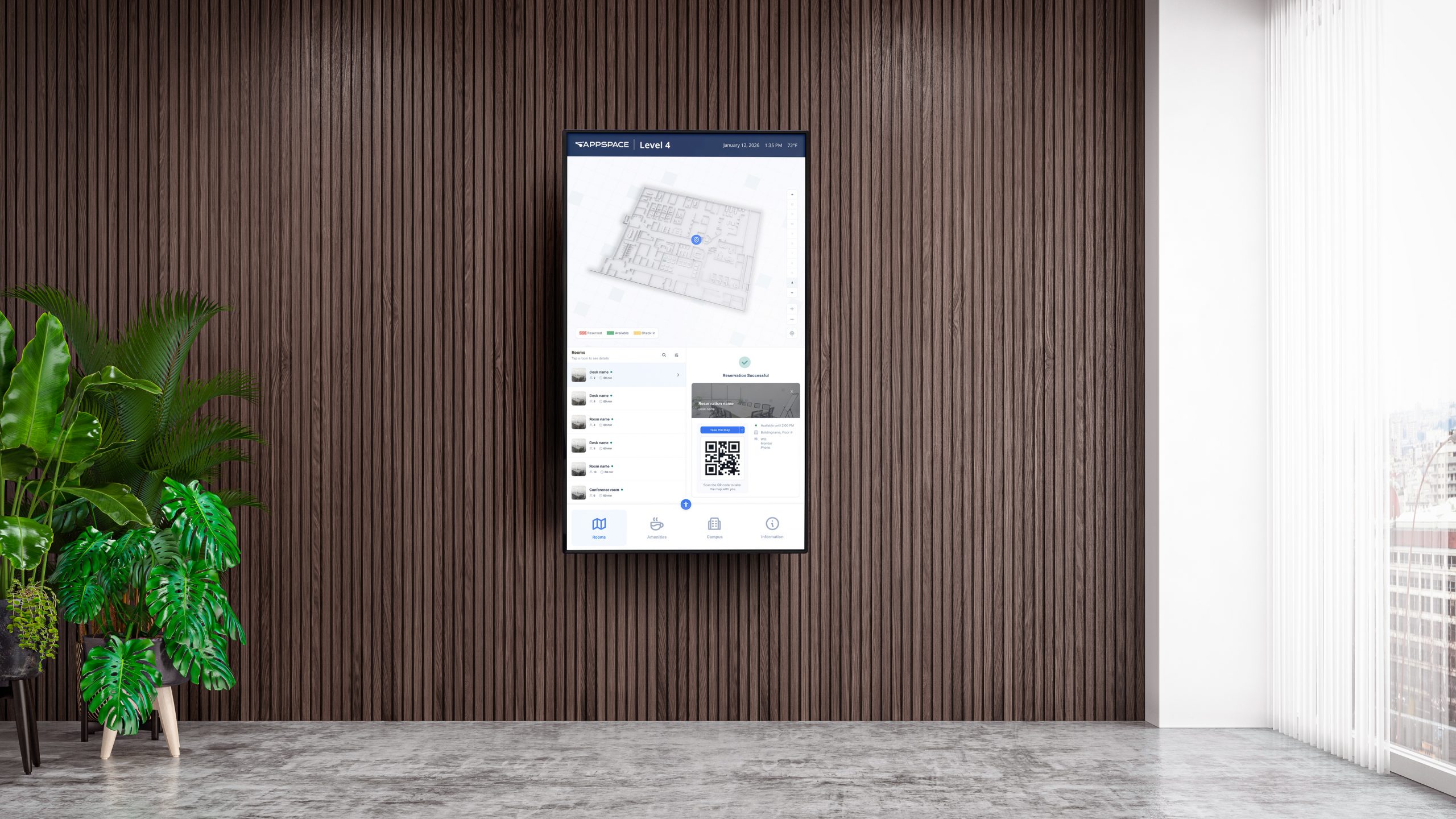
Workplace kiosks: a smart visitor management solution
Picture this: a visitor walks into your building, taps a few buttons on a sleek touchscreen kiosk, gets checked against your security list, and is on their way to a meeting. There are no delays, no paper sign-in sheets, no awkward waits at reception.
In a hybrid world, where you’re just as likely to be guiding a contractor to a service area as helping a new hire find their hot desk, kiosks are quickly becoming one of the most useful tools in our workplace toolkit.
A solid visitor management solution takes care of everything – check-ins, capacity limits, wayfinding, even health screenings – without needing someone glued to the front desk. It’s smooth for guests, convenient for employees, and gives facilities teams the control, visibility, and automation we need to keep things running tight.
What features should I look for in a workplace communication kiosk?
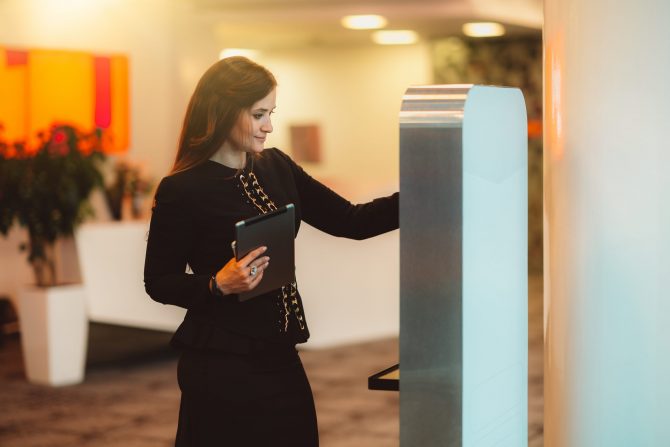
Not all kiosks are created equal. Whether you’re outfitting a single lobby or an entire network of campuses, look for a visitor management platform that offers:
- Touch-enabled interfaces: Integrated or externally connected screens that are responsive and durable.
- QR code or mobile interactions: Enable touchless check-ins for a hygienic experience.
- Modular templates: Pre-built designs for room booking, directories, and check-ins make deployment quick and on brand.
- Scalable software: Support thousands of endpoints and locations from one dashboard.
- Alerts and overrides: Push emergency messaging or CEO announcements instantly.
Practical tip: The more flexible your kiosk setup (e.g., compatible with Android, Chrome OS, Webex Boards, or even BrightSign), the easier it is to deploy across different environments.
What does a kiosk offer to employees?
For employees, kiosks cut through the noise and get them what they need, fast. Whether that’s finding their way around a large campus, locating an open desk, or checking on shift updates, it’s all about reducing friction – especially in busy or shared environments.
- Self-service desk booking: Walk in, tap a screen or scan a QR code, and grab a desk. No app download, no guesswork.
- Wayfinding and directories: Perfect for new hires, visitors, or anyone trying to get to the right meeting room without detours.
- Enterprise TV mode: Use idle moments to catch up on leadership messages, training clips, or company updates.
- Access HR resources: Submit a survey, check the social feed, or get quick answers – without emailing HR or logging into another system.
Scenario: An employee finishes a shift at a large plant. Before heading home, they tap the kiosk to check tomorrow’s safety briefing and reserve a desk in the admin wing. No chasing managers, no paperwork, just quick info when and where they need it.
It’s small efficiencies like this that add up across a workforce.
How does a kiosk simplify the admin experience?
Let’s be honest, a slick front-of-house experience means nothing if it’s a nightmare to manage behind the scenes.
The right visitor management system makes life easier for both facilities and IT teams. Here’s how:
- Ready-made templates: Launch new services without reinventing the wheel. Just tweak the branding and go live – no designers or dev time needed.
- Centralized management: Push updates or content to one kiosk or a hundred, all from a single portal. Say goodbye to walking around with a USB stick.
- Device health alerts: Catch issues before they become complaints. If something’s down or out of sync, you’ll know about it.
- Brand controls: Keep your look consistent, whether you’re managing one office or 50. Update themes globally or give regional teams approved options.
- Real-time analytics: Get insight into what people are using, whether it’s wayfinding, check-in, or HR announcements.
Practical tip: Use built-in scheduling and status alerts to automate content refreshes, software updates, and system checks, so your kiosk network runs smoothly without becoming another thing on your to-do list. It’s about working smarter, not harder.
Can I use visitor management software without a touchscreen?
Absolutely. Many communication kiosks are built to run in both interactive and passive modes.
- Use a touch-enabled screen for full interactivity.
- Connect to a non-touch display and control via QR codes or mobile handoffs.
- Use APIs to connect with badge systems, sensors, or building controllers, allowing kiosks to respond automatically to real-world activity.
Scenario: A passive display in a secure lobby shows a welcome message and emergency instructions. Visitors scan a QR code to start their check-in on their phone, while the facility gets real-time logs for compliance.
What’s the best way to roll out kiosks across multiple locations?
Start small, then scale smart:
- Audit your entry points and shared spaces where kiosks can offer high value.
- Choose devices based on interactivity, durability, and OS compatibility.
- Customize kiosk templates with your brand and services.
- Pilot in one or two locations, then roll out across your network with centralized controls.
- Monitor performance with analytics and adjust based on employee and guest behavior and feedback.
Practical tip: Pair your kiosk rollout with other digital signage or room booking screens for a consistent employee communication strategy.
Why should a communication kiosk be part of my visitor management platform?
Because it’s more than just a screen, it’s a bridge between physical space and your digital systems.
A kiosk powered by the right visitor management software can:
- Keep facilities compliant and secure.
- Automate processes that were manual and resource-heavy.
- Offer employees a frictionless workplace experience.
- Provide data that drives better planning and service delivery.
And with flexible content formats like maps, videos, directories, or check-in forms, kiosks become an always-on, always-helpful presence in your workplace.
Find out more about Devices and displays in the workplace.
How Appspace kiosks can improve your visitor experience
Whether you’re expecting a VIP client, guiding a contractor to the right loading bay, or helping a new hire find their desk, kiosks can fundamentally change how people move through your space. When done well, they reduce bottlenecks, cut down on interruptions, and help everyone feel more confident navigating your site.
That’s where Appspace stands out. It’s not just flexible, it’s genuinely built for facilities teams who want tools that just work. You can roll out branded, interactive kiosks fast using pre-built templates, and tailor them to each location. Touchscreen or touchless, lobby or warehouse, it’s all managed from the same platform you use for signage, space reservation, and employee communications.
Because it’s part of a broader ecosystem, you’re not juggling separate systems or making trade-offs. You can keep content consistent, track usage, push updates instantly, and scale easily, without reinventing the wheel every time you open a new office or change protocols.
Want to see how it fits into your workplace?
Take a closer look at Appspace, and schedule a demo to see it in action.

