Taurus: new ways to engage with AI, create captivating content, and optimize the physical office
Taurus is here: Smarter AI, better content, easier workplace planning
Our Q1 release is here, and it’s packed with new ways to create, connect, and deliver better workplace experiences.
Meet Taurus, a release designed to make Appspace feel even smarter and more intuitive, with upgrades that support every step of the employee journey — from content creation to workplace coordination.
This release brings deeper AI assistance, more tools for creating standout content faster, and new ways to optimize physical spaces through smarter automation. Plus, we’ve added platform integrations that help bring your everyday tools and information into Appspace, so employees can find what they need without bouncing between systems.
Check out the video below or keep reading to learn about some of the stars of this release.
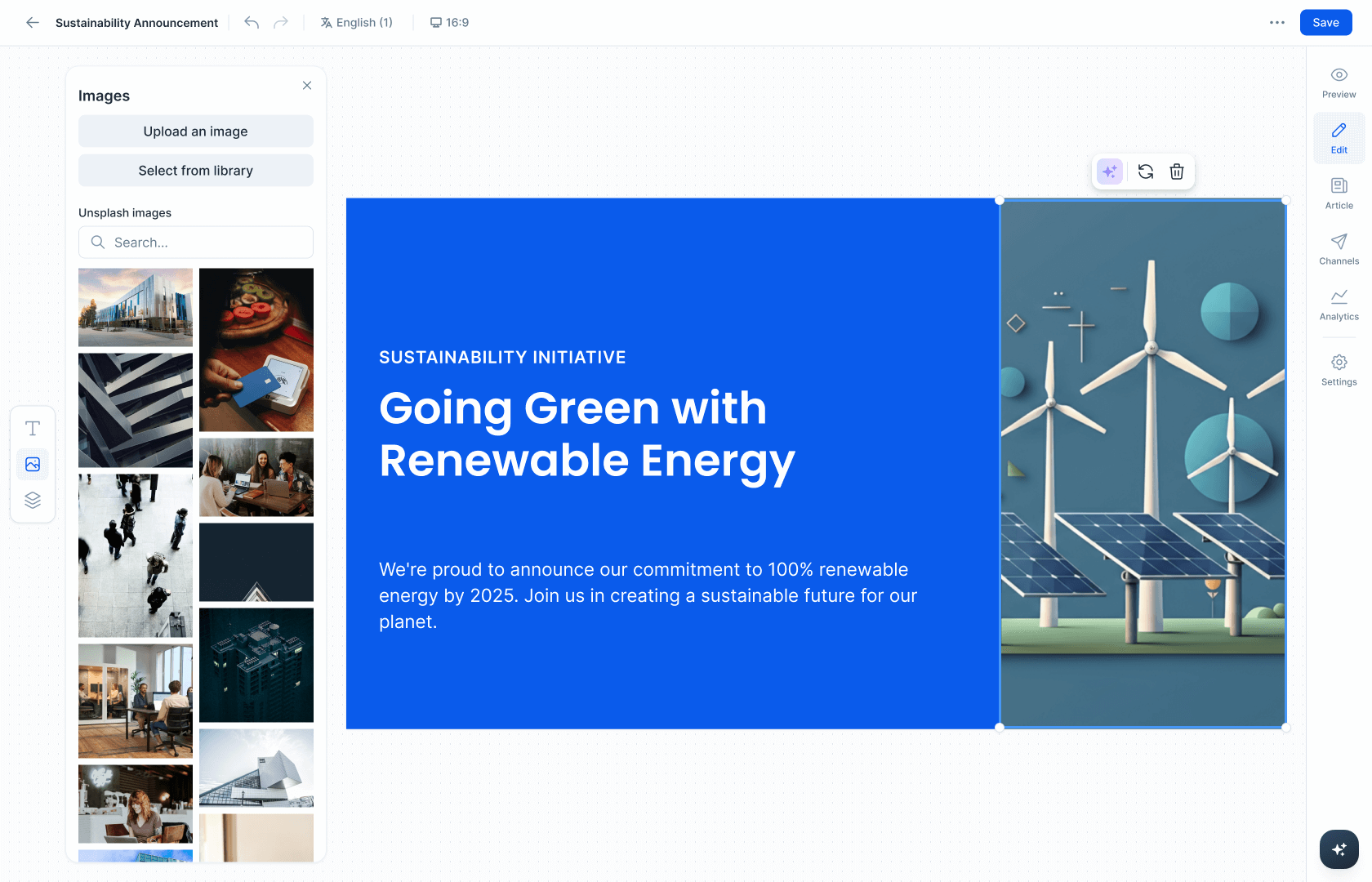
Design tools for AI generated cards (limited release)
Ready to design like a pro? We made it easier to fine-tune AI-created content in Appspace. Now you can move things around, resize elements, style text, and save templates. So you can get the look you want without switching to another design tool.
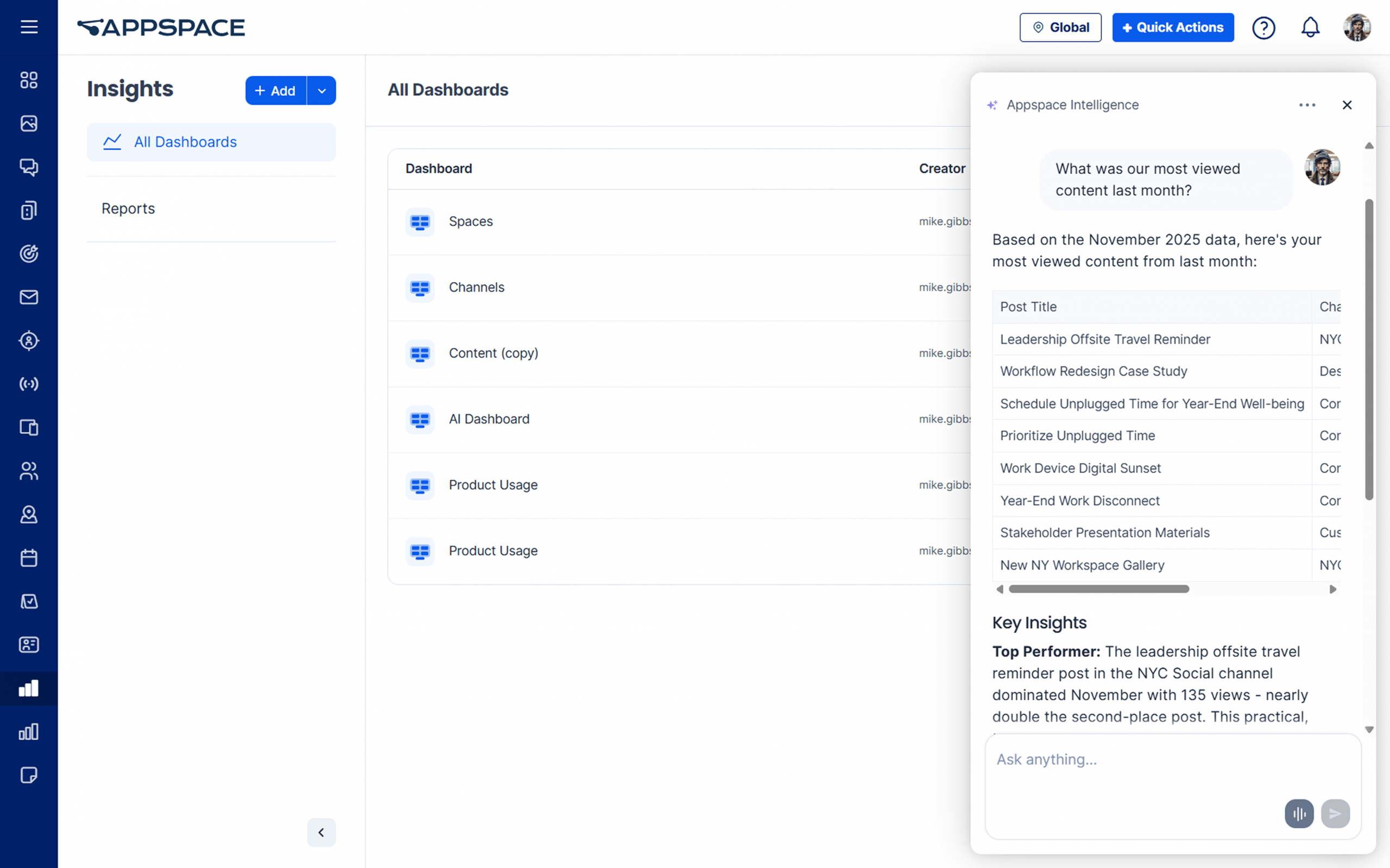
Insights assistant
Wondering what employees are actually paying attention to? The new Insights Assistant helps you get answers fast. Just ask a question like “What was our most viewed content last month?” or “What’s the best time to post?” and it pulls up the data for you.
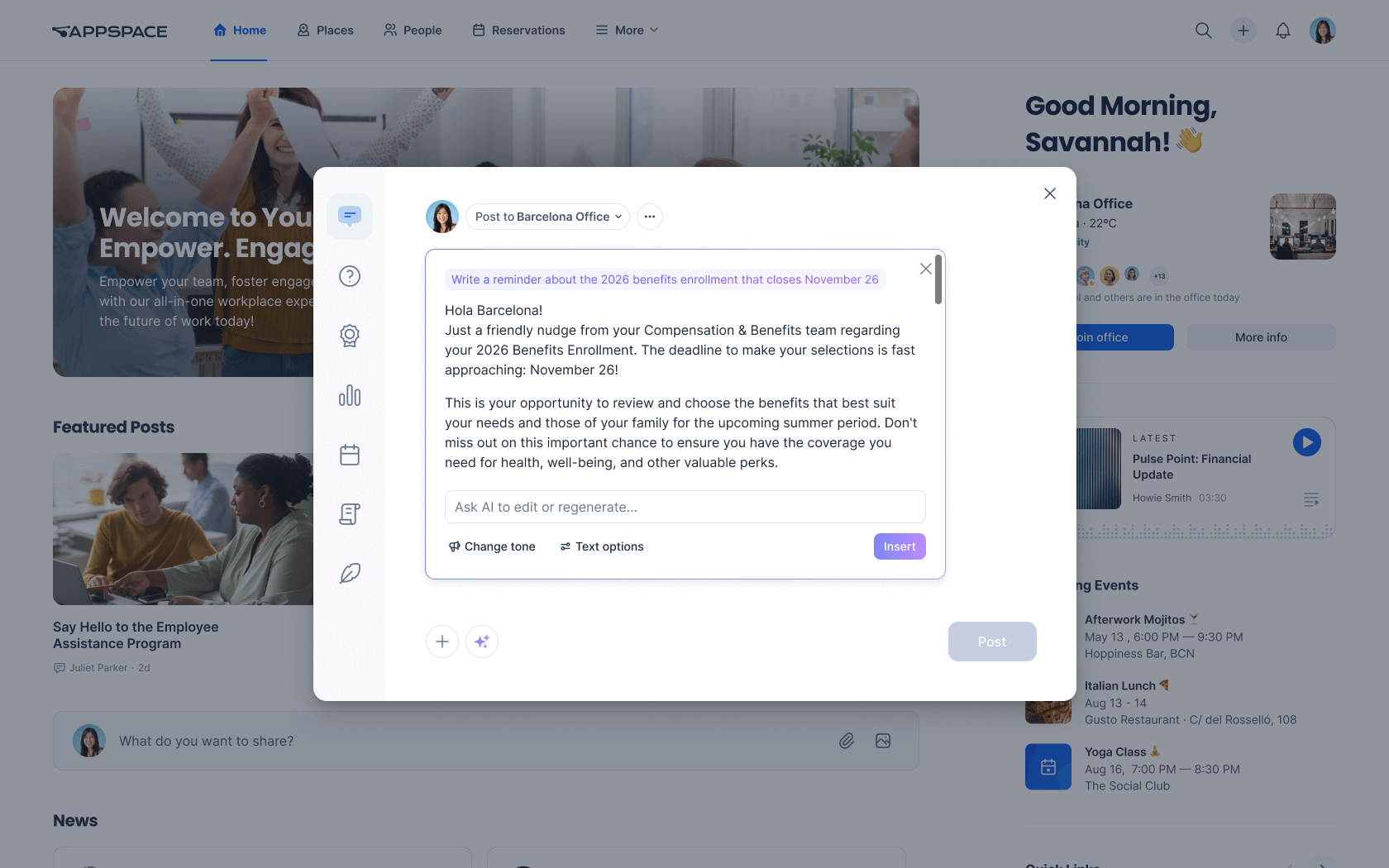
Generative AI for sharebox
Need help writing a post? Sharebox now includes AI to help you get started faster. Click the AI icon to generate a draft, brainstorm new ideas, or create relevant tags from a quick prompt.
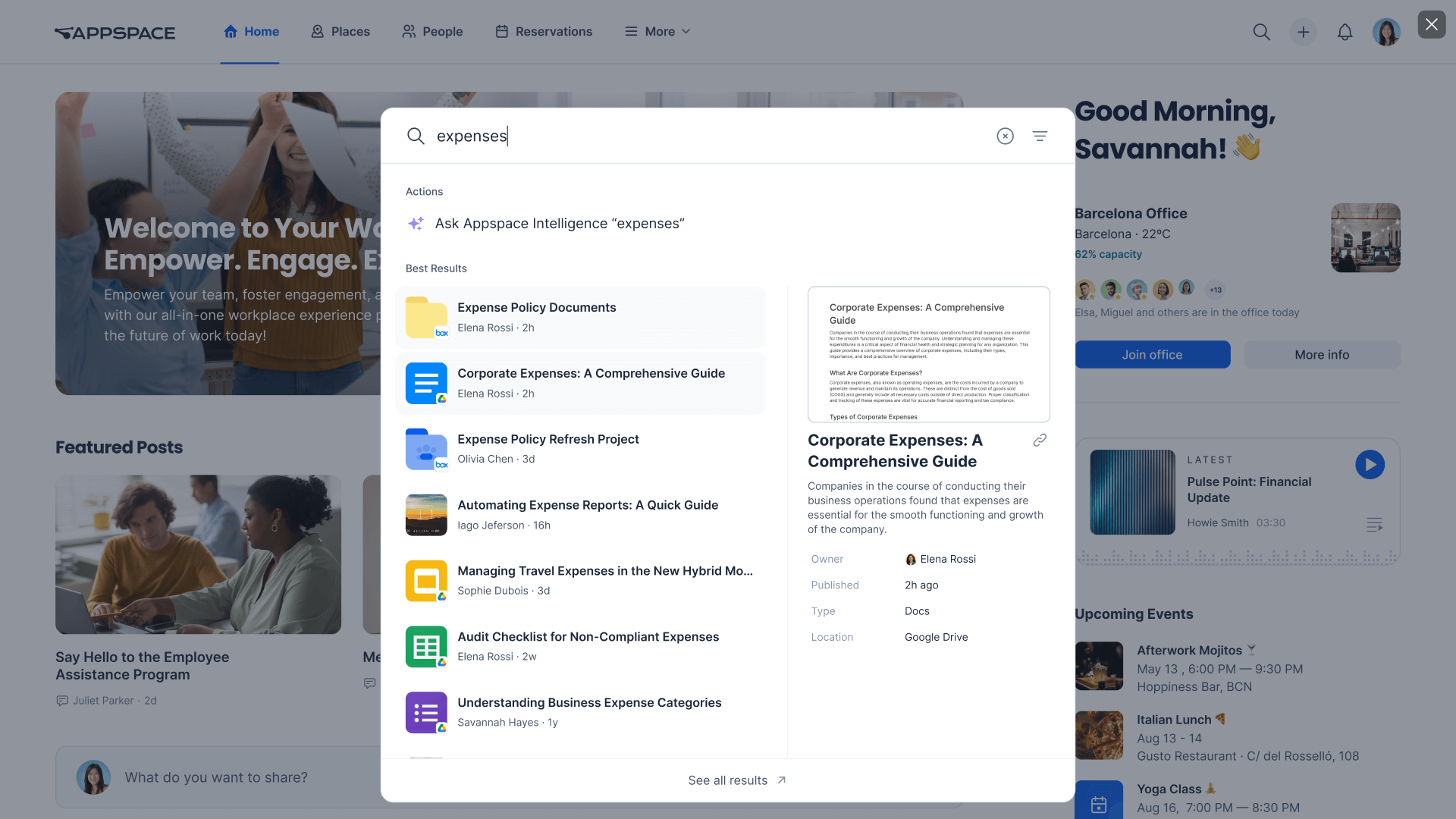
Federated search for Box and Google Drive
Information silos slowing you down? We’ve improved our federated search with support for Google Drive and Box, so you can quickly find the files and documents you need without ever leaving Appspace.
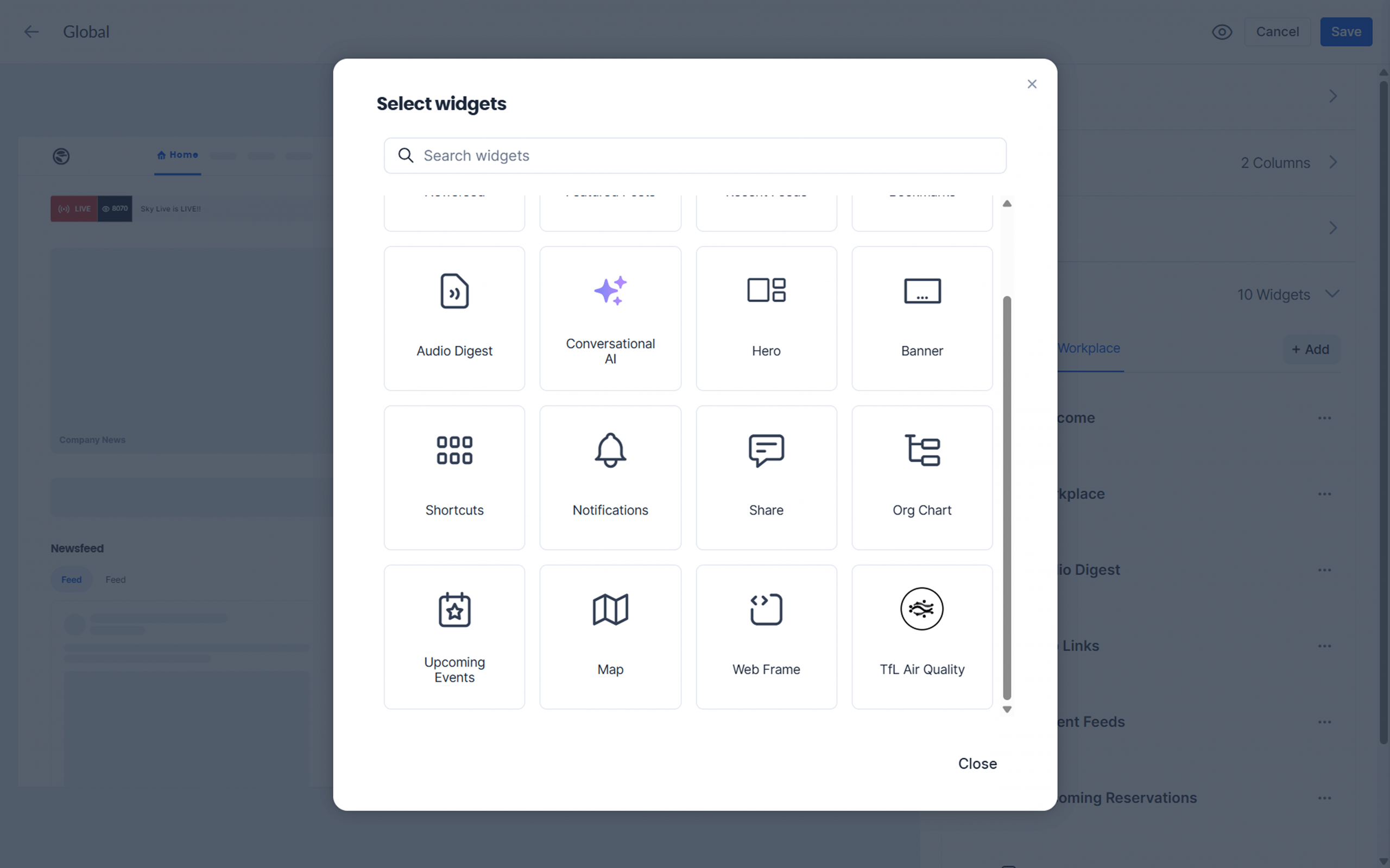
Custom widgets
You can now create custom widgets to show real-time information from other systems inside Appspace. It’s a simple way to bring helpful updates and key info into one place for employees.
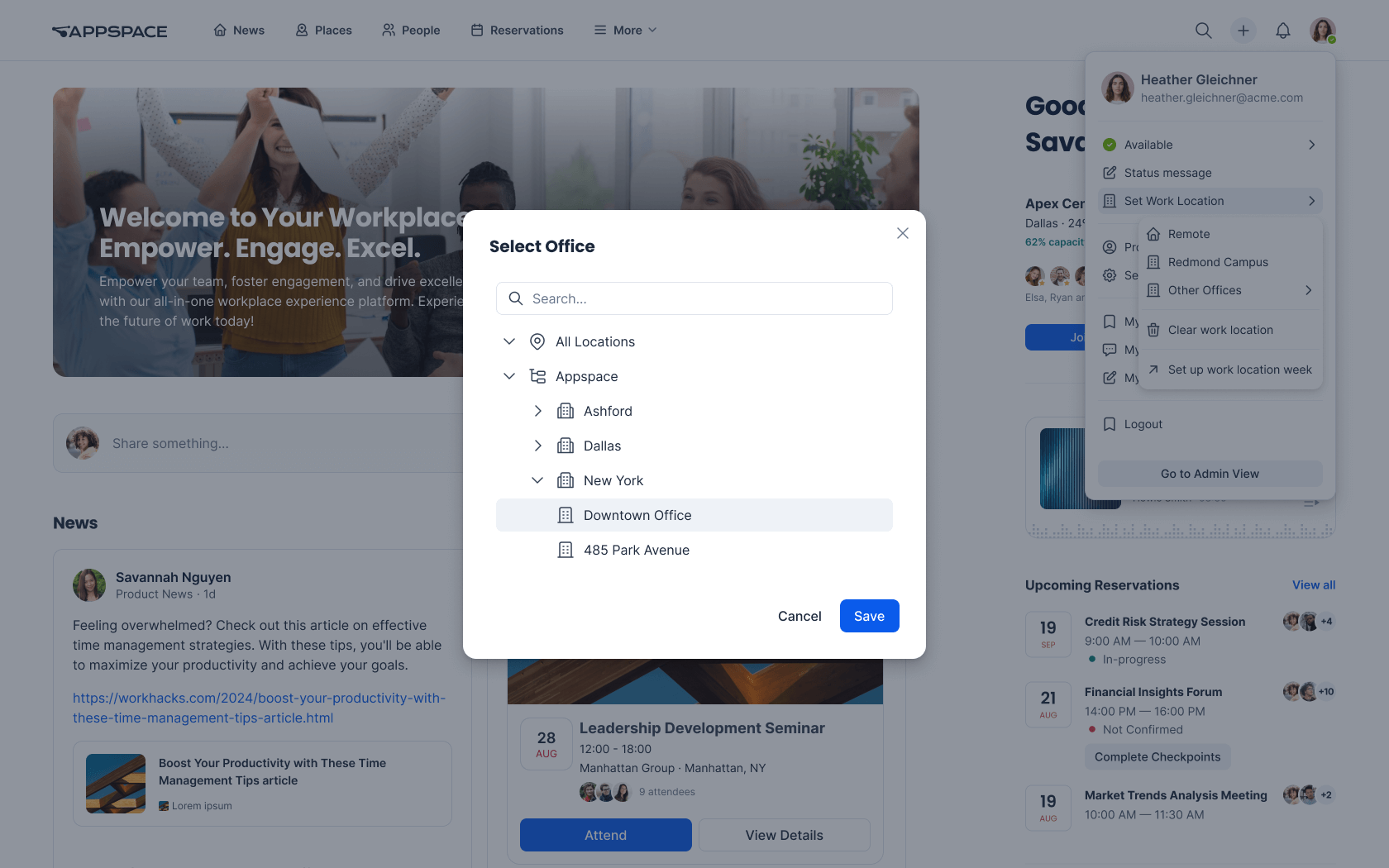
Work location
Employees can now set their work location automatically based on their desk or room reservations. This makes it easier to see who’s in the office, plan time together, and understand how spaces are being used.
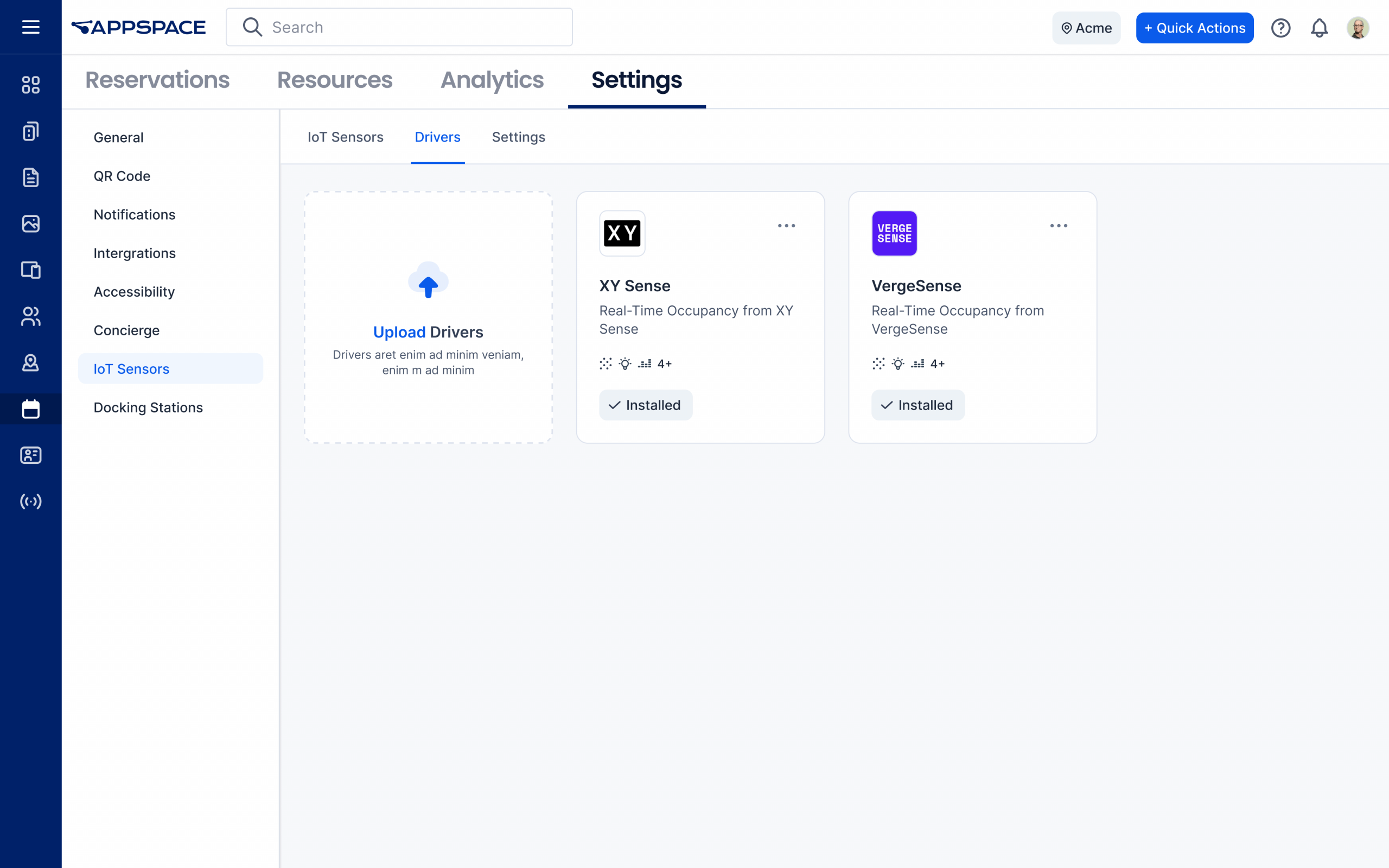
VergeSense and XY Sense driver support
Appspace now integrates natively with VergeSense and XY Sense occupancy sensors to help workplaces run smarter and more smoothly. For example, you can automatically release rooms after no-shows or check people into reservations when they arrive.
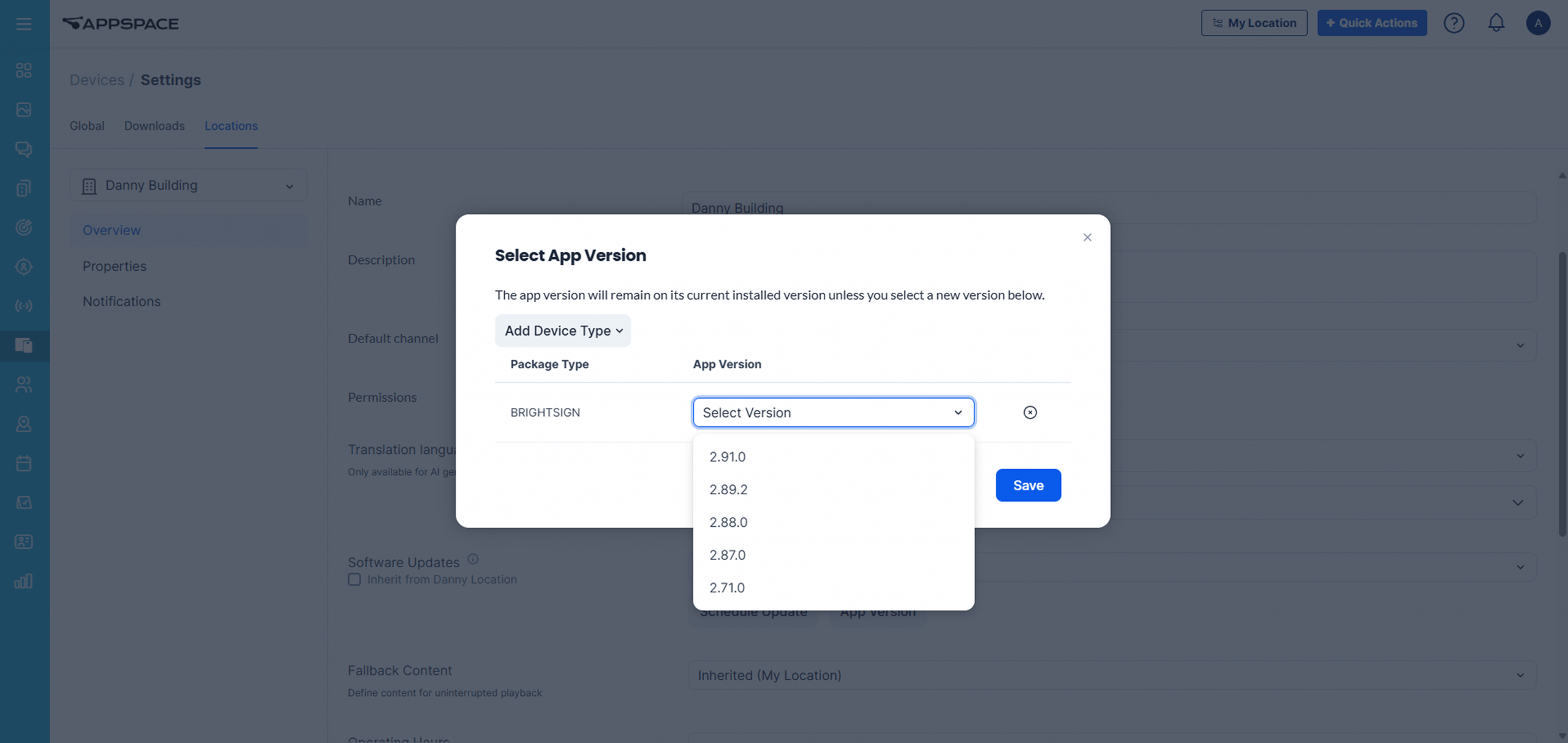
BrightSign app auto update
Managing BrightSign devices is now much easier. With auto updates, your players stay secure and current without manual effort. Prefer more control? You can schedule updates, pin versions, roll back if needed, and manage everything in bulk at the location level.
Amazon Signage Stick support
Appspace is now officially certified and supported on Amazon Signage Sticks. That means you get more affordable hardware options, while still delivering the same Appspace digital signage experience.
Beyond the stars (other updates)
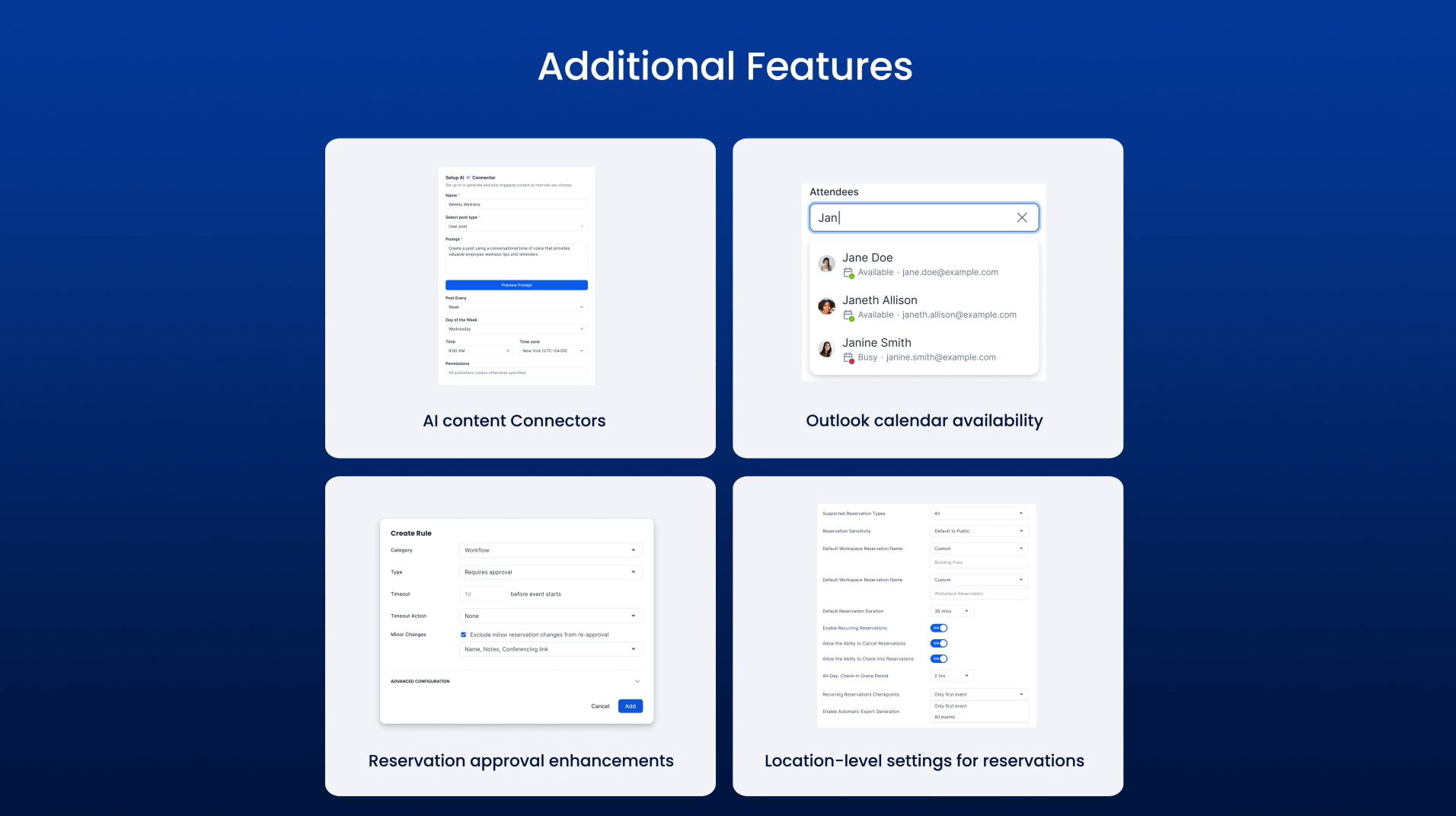
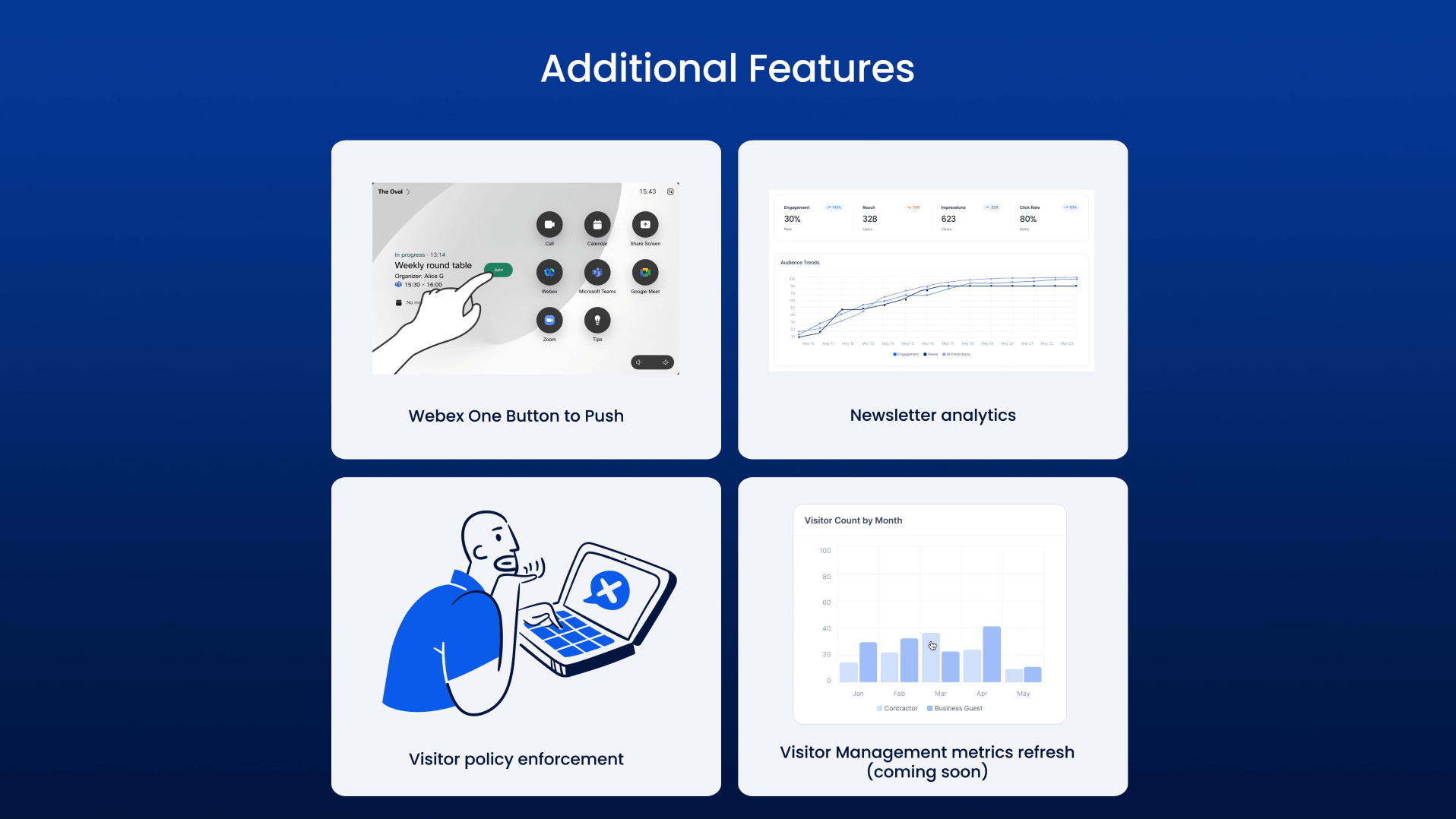
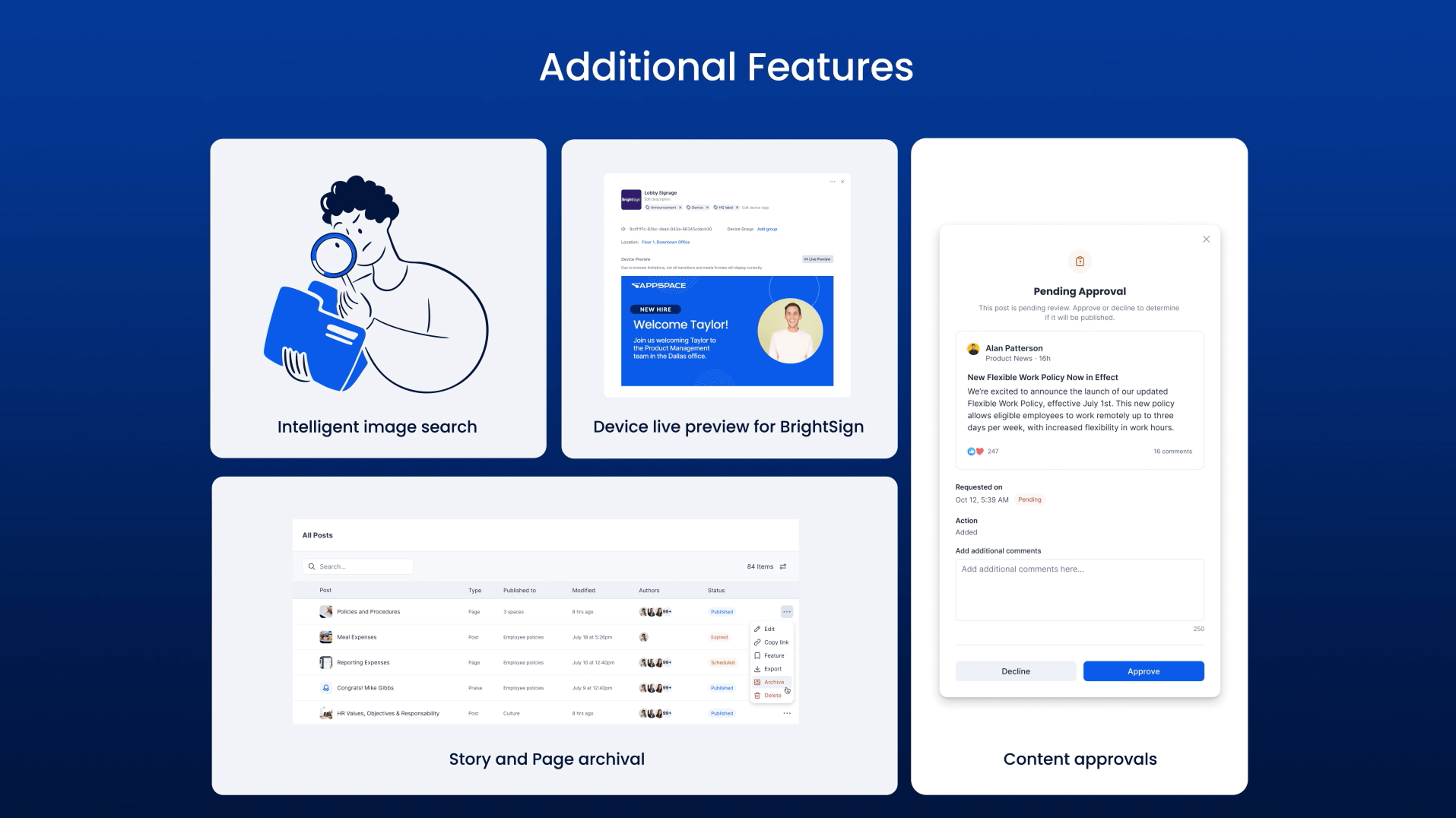
Taurus also includes lots of additional improvements across the platform. Here are a few more highlights:
AI content connectors – Communicators can automatically generate and publish fresh AI-created text and image content across channels.
Outlook calendar availability – See real-time free/busy information from Outlook alongside Appspace reservations for easier scheduling.
Reservation approval enhancements – Admins have more control over approvals, including when changes require re-approval and when they don’t.
Location-level settings for reservations – Set specific booking rules by location, so rooms and spaces can have different policies than your global defaults.
Webex One Button to Push – Join Webex meetings faster with one-tap join for calendar-scheduled meetings.
Newsletter analytics – See how newsletters and email campaigns are performing with clear delivery, open, and click data.
Visitor policy enforcement – Appspace can now block visitor invitations if a location doesn’t have an active visitor policy set up.
Visitor Management metrics refresh (coming soon) – Visitor analytics are getting a redesign with clearer visuals and updated metrics.
Intelligent image search – Search for images based on what’s in them — like objects, scenes, or even text inside the image.
Device live preview for BrightSign – Preview what’s playing on your BrightSign digital signage players with real-time screenshot capture.
Story and Page archival – Move older Pages and Stories into an “Archived” status instead of deleting them permanently.
Content approvals – Community, Topic, and Channel owners can require posts to be reviewed before they go live.
To learn more about the entire Taurus release, view the full release notes.